The All-in-one Screenwriting & Development Platform
From the creator of Final Draft®

Develop, Write, Organize, Analyze & Market Your Screenplays with Script 360

How It Works

From the glimmer of an idea to a polished screenplay and beyond, Script 360 has you covered

πŸ’‘

Start with an Idea

Have an idea for a new script? Want to jot it down and work on it, see if it works? Script 360 has you covered.

Test raw concepts, add characters and scenes, even share the idea to get feedback from others.

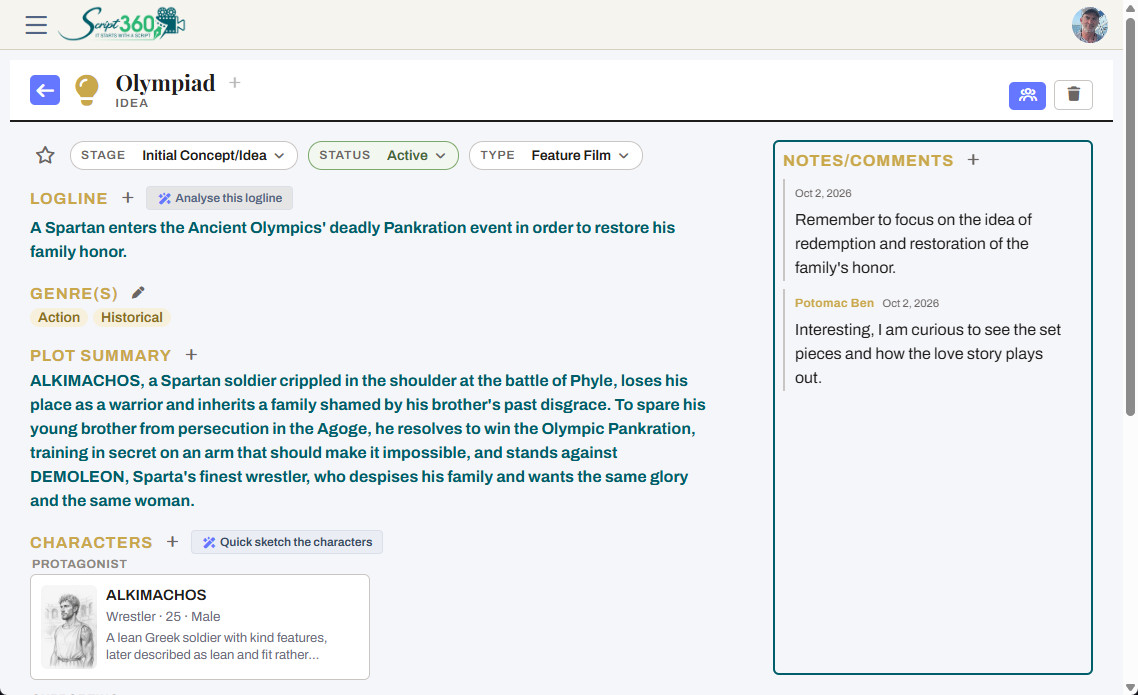
Our Idea pages help you organize ideas, thoughts, scenes, and characters into a clear layout that can become your next project. You can even have our AI engine read the logline and plot summary and let you know what it thinks.

Finally, when you are ready to write, turn the idea into a screenplay with a click, scenes laid out and ready to write.

An Idea page in Script 360: logline, characters and scenes laid out together
πŸ“„

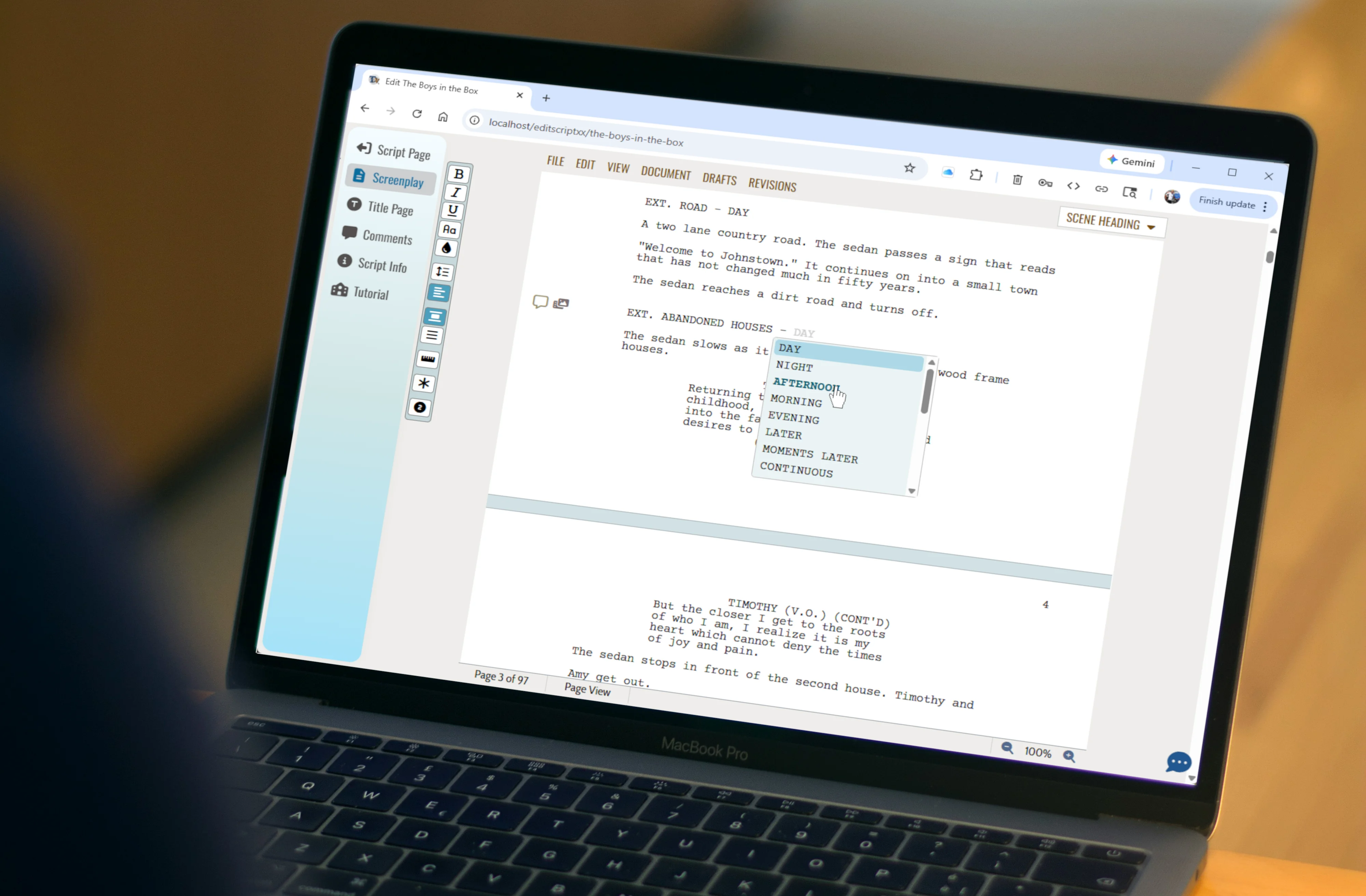
A Professional Script Editor

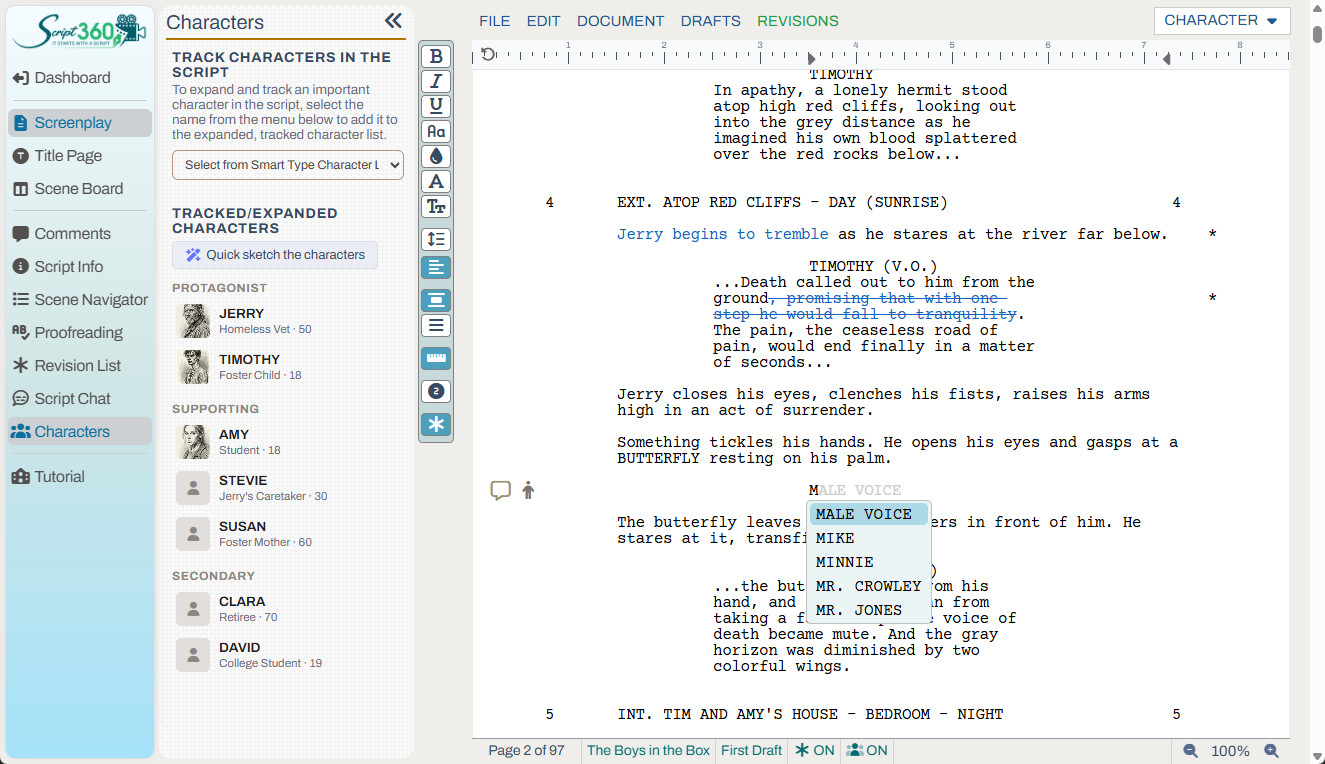
No matter what software or site you have been using to pen your screenplays, you'll feel right at home at Script 360:

  • Industry-standard pagination (with MOREs and CONTINUEDs)
  • Active Change & Revision Tracking
  • Scene Numbering
  • Full featured Scene/Beat Boards
  • Comprehensive FDX & PDF file import and export
  • ...to name a few

Script 360's intutive interface keeps your formatting clean and consistent so your can focus on what you are writing, not how it looks.

The Script 360 screenplay editor
πŸ’Ύ

Save, Manage, Share and more

Access your screenplays anytime, then add pitch decks, coverage, even series bibles, all saved securely in the cloud.

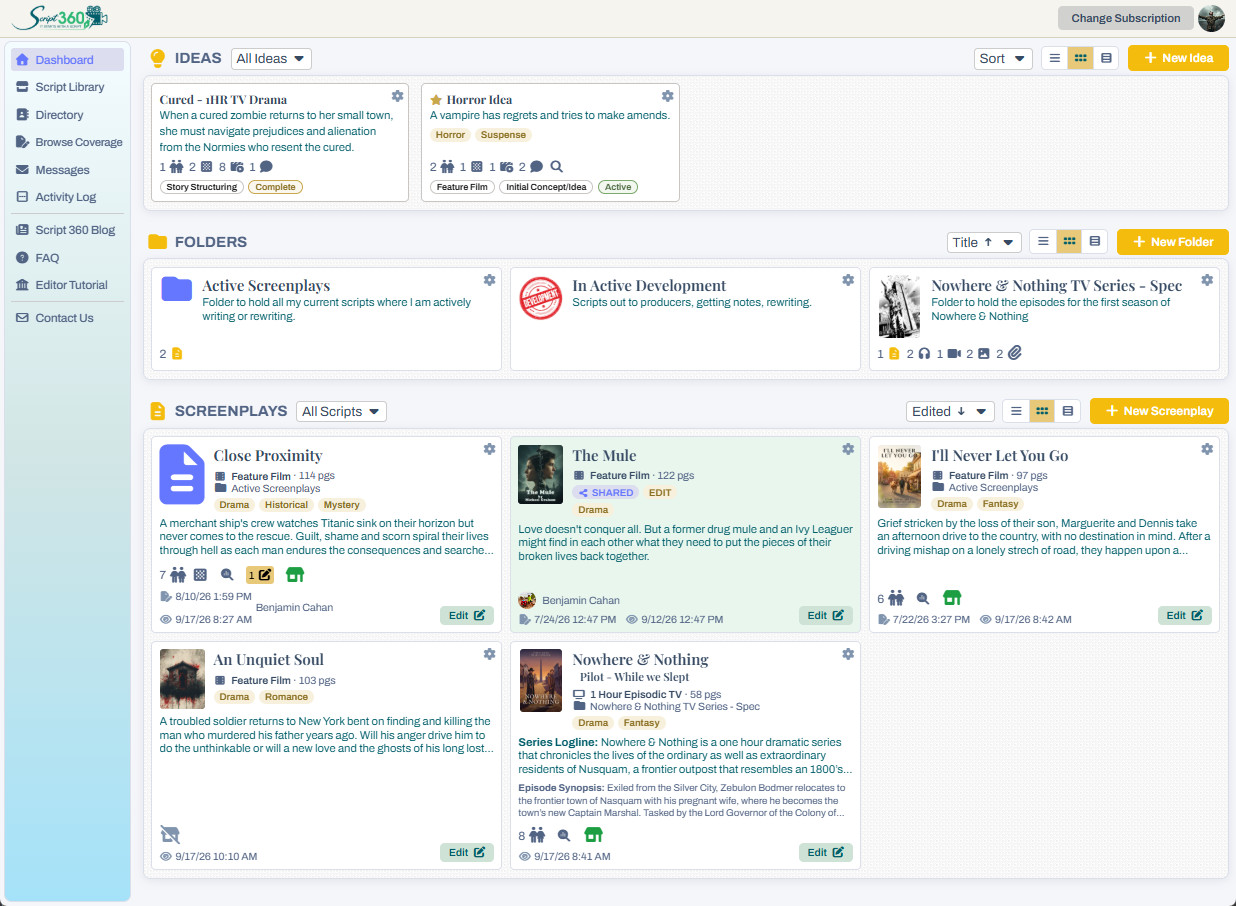
Organize scripts into projects and folders, share your scripts with others to get feedback or even let them make changes or add comments.

List your scripts in our Script Library, where others can find them, look through your pitch and request to read them.

Focus on creativity while Script 360 handles organization.

The Script 360 dashboard, with screenplays, folders and ideas

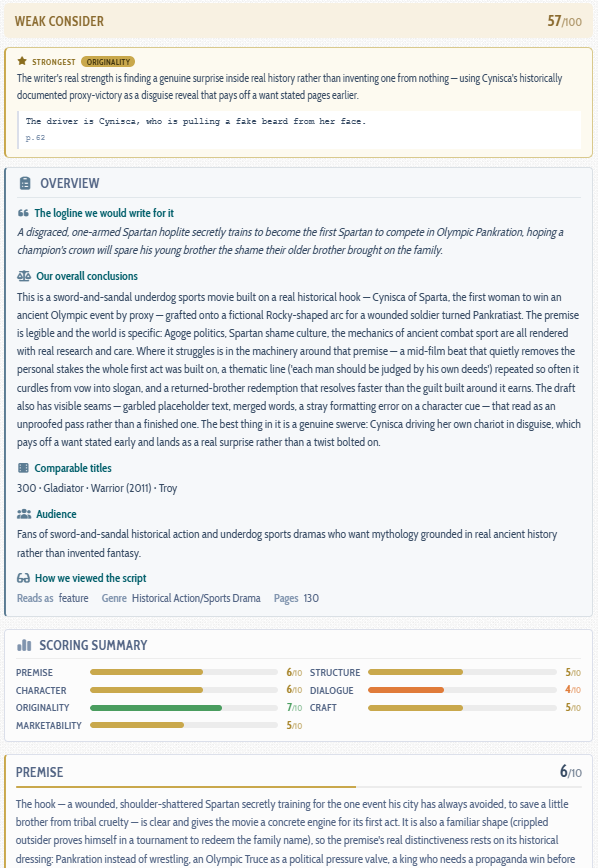
Find Out if Your Script is Ready

Before you send your script out into the world, find out how it reads.

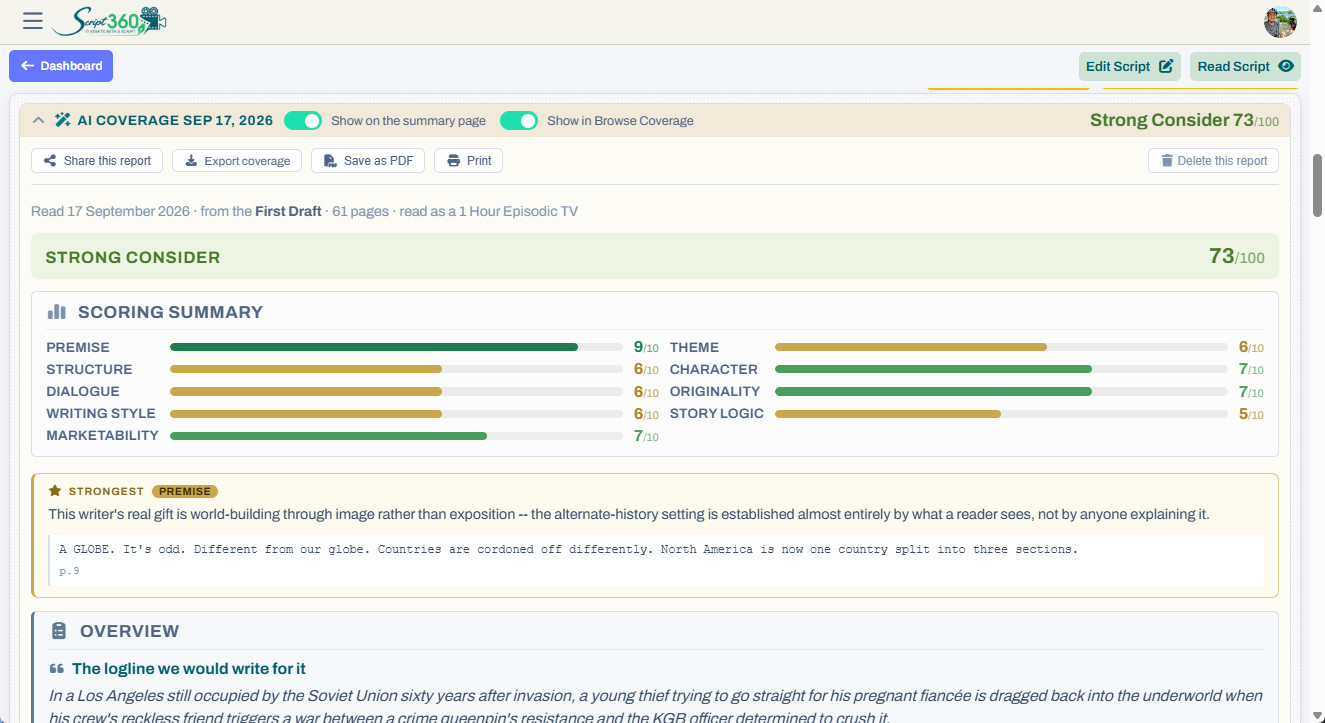
Have our AI read it and give you comprehensive, well reasoned coverage: scores in every category, what is working and what isn’t, and a Pass, Consider or Recommend at the end.

Want a professional’s take? Order coverage from one of our experienced script analysts, the same readers who have provided coverage to Talentville members, and get honest notes from someone who reads scripts for a living.

Then rewrite with confidence, and share your coverage with one click when you are ready.

Coverage of a screenplay in Script 360, with scores and verdict

See Your Characters and Scenes

Your characters live in your head. Now you can see them.

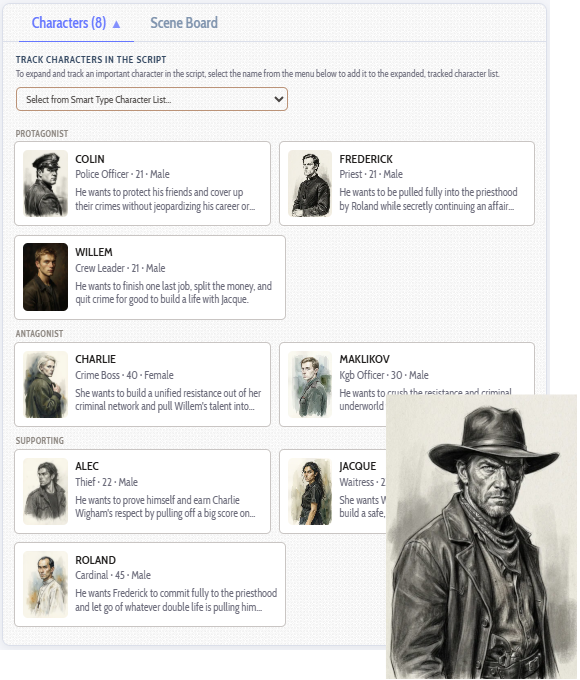
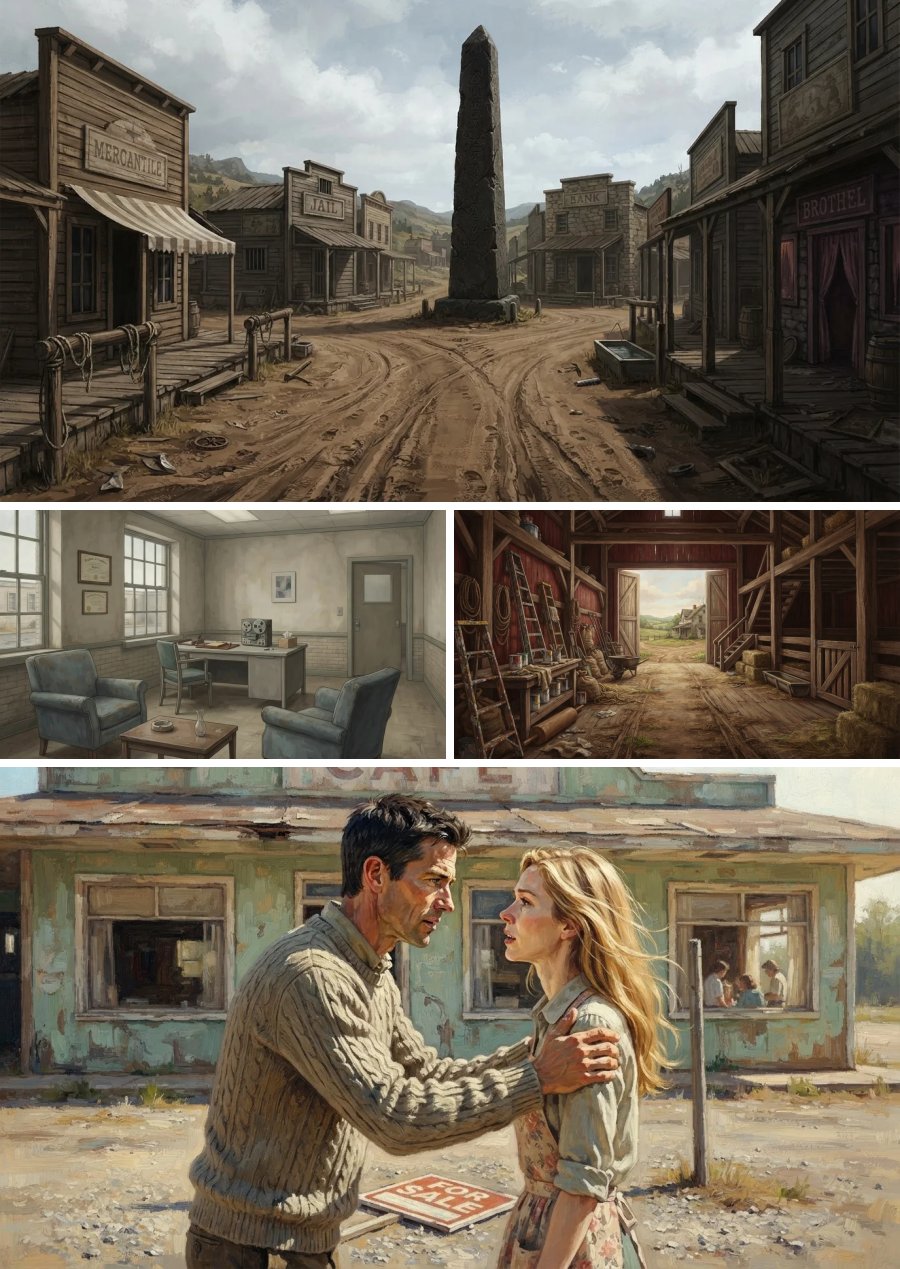
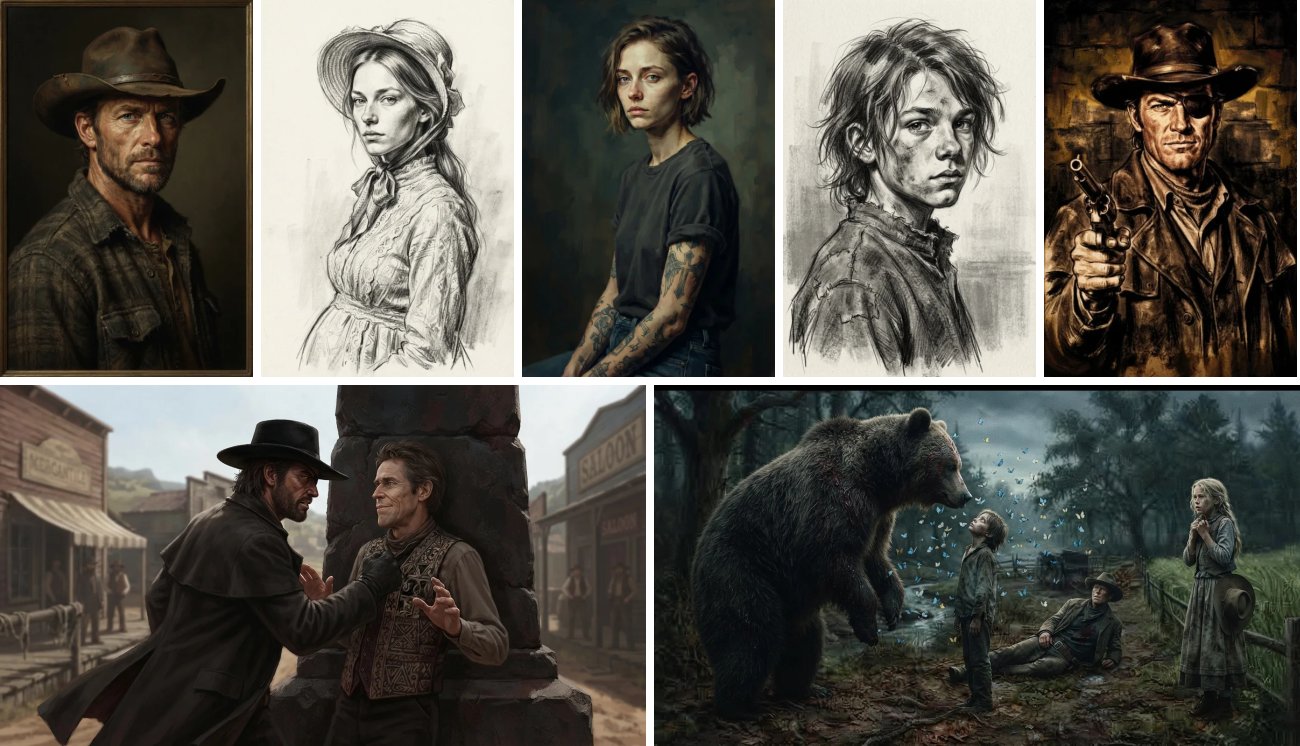
Sketch every character in the style that suits your story, from pencil to oil paint to comic book. Picture your locations, right down to the rooms inside them, then bring your key scenes to life with your own characters in your own locations.

It is a great way to get to know your story better, and to show others what you see.

Character sketches in pencil, oil and comic book styles, with two scene pictures made in Script 360

Finally, Create the Movie Poster!

Finished your script? Give it the poster it deserves.

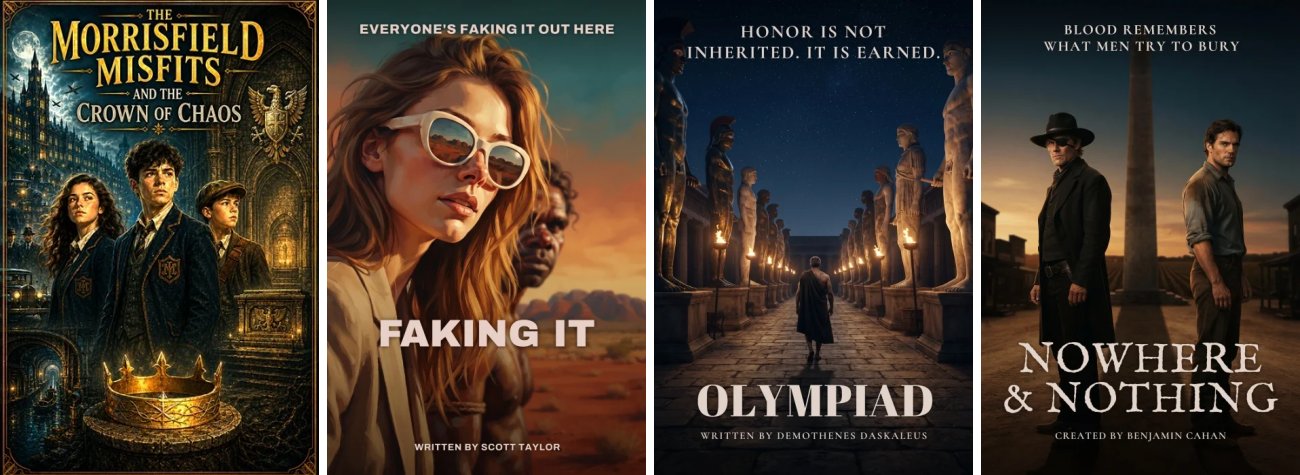
Design a one sheet for your screenplay, with your title on it, in whatever style fits the story. Make a few and choose your favorite.

It becomes the face of your script, on its own page and in the Script Library, where other members browse for their next read.

Four movie posters made in Script 360: The Morrisfield Misfits, Faking It, Olympiad and Nowhere & Nothing

Artificial Intelligence

Intelligent AI integration helps take your screenplays to a whole new level

It will not write your screenplay — those pages are yours, and it never changes a word of them. What it will do is read them, and then tell you what it found.

1

It breaks down your script

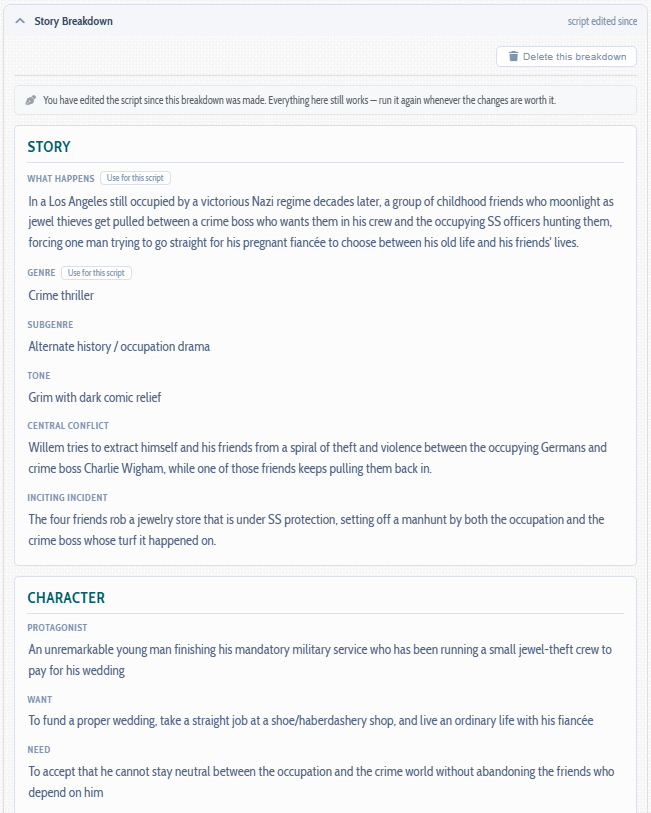
It reads the finished draft and takes it apart: protagonist, want, need, conflict, stakes, and the beats the story turns on. Your scene board can be laid out from the same reading.

Your cast comes out of it too. The major characters are promoted automatically, each with a detailed profile — age, profession, what they want, how they dress, what somebody notices first — and a note on the actor it can picture in the part.
2

It proofreads

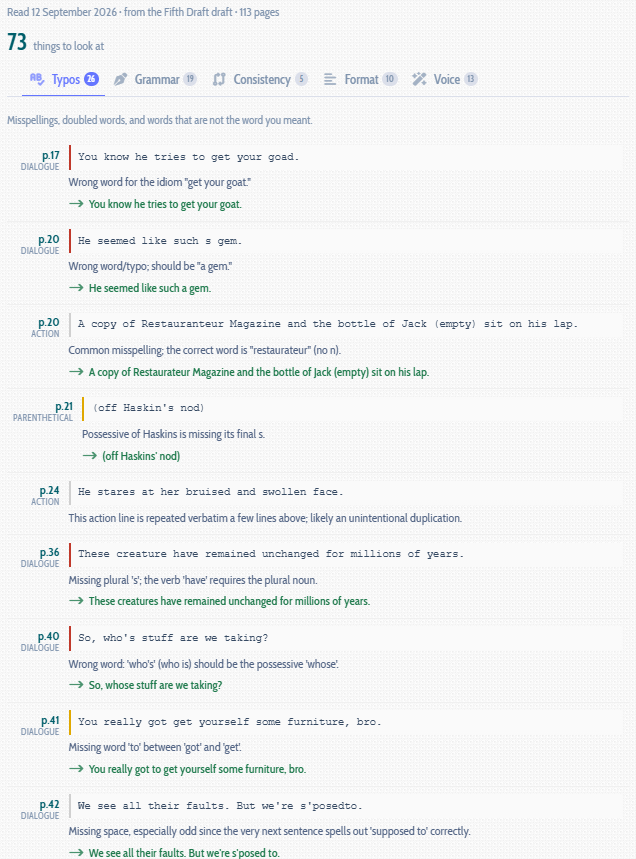
A pass for the things that pull a reader out of your pages: typos, their for there, a character called Katherine on one page and Catherine on the next, a car that changes color between scenes.

It knows what a screenplay is allowed to do. The fragments, the present tense, the invented words and the way people actually talk are yours and it leaves them alone — so what comes back is a list worth reading, not four hundred things to sift through.

3

It critiques, and suggests

Does the second act sag? Is the ending earned? Would a reader still be with you on page sixty? Those are the questions you cannot ask yourself about your own script. Coverage answers them — scored section by section, with what is working, what needs more work, and what to do about it.

Your logline gets the same treatment. Have fresh ones written from the screenplay itself, or hand over the one you have and find out how a reader is likely to take it: where it lands, where it is vague, and the one change worth making.

4

It takes your characters from words to images

When our story analysis engine reads your screenplay, it also builds a comprehensive summary of every main character — age, gender, profession, description, typical wardrobe, what they want and what they need — and goes as far as suggesting an actor who fits the bill.

Then, when you want to see one of them, it takes all of that and draws something unique to your character and right for your script: eleven styles from a charcoal study to a period photograph, framed anywhere from a close-up to full length, turned to the camera or away, and set in the period your pages are written in. Up to three at a time, waiting in a gallery until you pick one.

5

It brings your locations and scenes to life

It finds every place your story happens and writes each one up. Then it pictures them for you: the outside of a building and the rooms inside it, in the period and style your pages are written in.

And when you want to see a moment from your script, it puts your own characters into your own locations and pictures the scene, so your people and places look like themselves from one picture to the next.

A Story Breakdown panel for a screenplay, showing what happens, genre, subgenre, tone, central conflict and inciting incident, with the protagonist's want and need below
A proofreading report listing seventy-three findings across typos, grammar, consistency, format and voice, each one quoting the line, naming the page and offering a correction
An AI coverage report scored Weak Consider, 57 out of 100, with the screenplay's strongest element, an overall conclusion, comparable titles and its likely audience
The Characters tab of a screenplay listing eight tracked characters by role with their profiles, and a charcoal sketch drawn for one of them
Pictures of a western town's main street, an institution office and the inside of a barn, and a painted scene of a man comforting a woman outside a shuttered cafe

Pricing Plan

Choose the Perfect Membership for Your Screenwriting Journey

Whether you're a solo writer or a creative team, find a flexible membership that fits your screenwriting needs.