


A screenplay gets made by a lot of people, and most of them are not writers. Today Script 360 gets three additions that help you show what you have done - and help you find the people who can be attached to your next project.
- A bigger list of jobs, in five sections, from Screenwriter to Location Manager.
- Credits on your profile - the films, series and plays you have worked on.
- Competition placements on your screenplays - the semi-finals, fellowships and festival selections your script has earned.
More jobs, in five sections
The job list used to be ten roles, nearly all of them about writing. It is now thirty-four, which allows you to be much more specific about your skills and history:
Writing - Screenwriter, Script Consultant, Story Analyst, and competition and festival staff.
Industry - Producer, Director, and now Cinematographer and Actor.
Representation - Agent is now two roles, Agent (Literary) for writers and Agent (Talent) for actors and other performers, alongside Manager.
Production - new, and the one we are most pleased about: line producers, assistant directors, casting directors, location managers, production designers, editors, composers and more.
Other - Journalist, Educator, Publicist and Student.
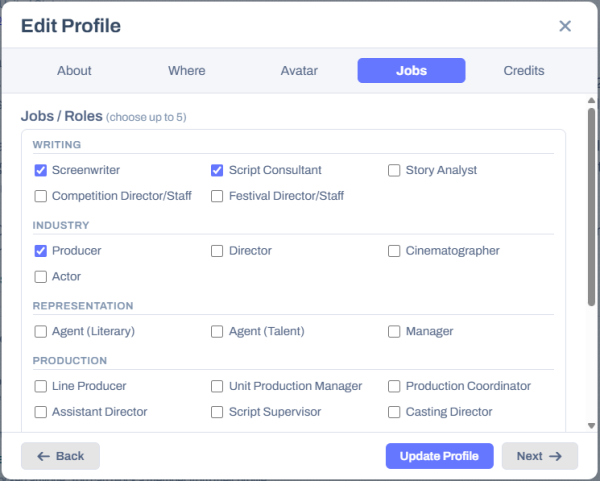
Pick up to five in Edit Profile, on the tab now called Jobs. The new jobs let other members know more about you, so they can find you in the Member Directory when they are filling the roles on their own projects - and you can find them the same way when you are looking for a producer to help package your script.
Credits on your profile
If you have worked on a film, a series, or even a short film or stage play, you can now say so. Open Edit Profile and go to the new Credits tab.
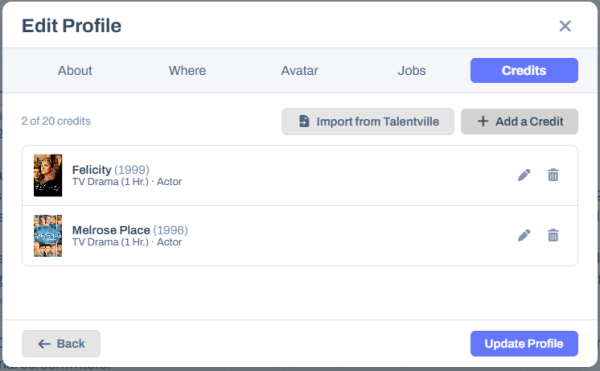
Each credit has a title, the kind of project - feature, short, documentary, TV drama or sitcom, limited series, web series, animation, podcast, commercial, music video or stage play - and the year. Then your job or jobs on the project: start typing and pick from our job list, so a writer-director is one credit with two jobs rather than two credits. Add a line of detail if it helps ("1 episode", "Co-Writer"), the production company, a link to its IMDb page and a poster, if you have one.
Your credits appear in a card of their own under your profile, newest first. Anybody who can see your profile can see them.
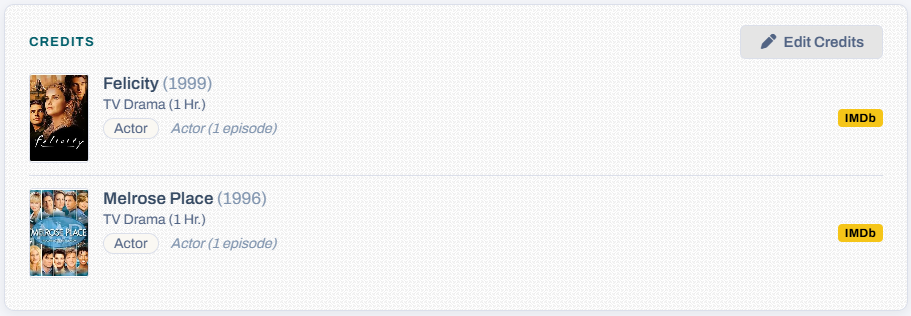
Coming from Talentville? Your credits there can come across in one click. On the Credits tab, press Import from Talentville. Talentville let you type your job however you liked, so we read the jobs out of what you typed and keep your original wording under Details - have a quick look over them afterwards.
Competition placements on your screenplays
A quarter-final at Austin or a finalist placing at the PAGE Awards tells a reader something about your script before they have opened it. Now your screenplays can let others know about it.
Open Edit Script on any of your screenplays - or start a new one - and go to the new Competitions step. Press Add a Placement and start typing the name of the competition or festival. More than a hundred are already on the list, and as you type we suggest the ones that match. If yours is not there, just type it in full and it is added for everybody.
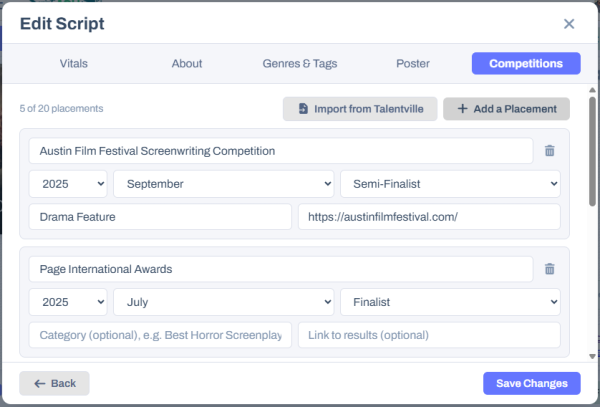
Then the year, the month if you know it, and how far the script went - Winner, Award Winner, Runner-Up, Finalist, Semi-Finalist, Quarter-Finalist, Second Round, Honorable Mention, Official Selection or Nominee. There is room for a category ("Best Horror Screenplay") and a link to the published results, for anybody who wants to see it with their own eyes.
The placements appear on your screenplay's summary page, in a Competitions panel, newest first.

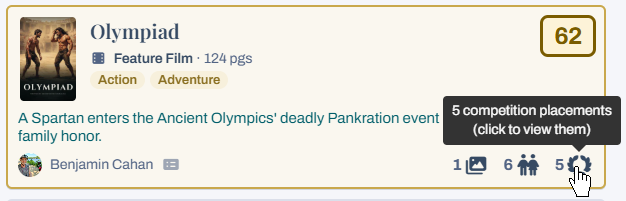
And if the screenplay is in the Script Library, its card there shows a laurel wreath with the number of placements beside it. Click the wreath and they open right there on the Library page.
Coming from Talentville? From now on, a screenplay you bring over from Talentville brings its placements with it, and the Competitions step has an Import from Talentville button in case you add more there later. Screenplays you brought over before today do not know which Talentville script they came from, so add their placements by hand - it only takes a minute each.
A good moment to update your profile
If it has been a while, now is a good time: pick your jobs from the new list, add your credits, and give your screenplays their placements. It is what the people browsing the Directory and the Library will see first.
- Ben Cahan
Comments