
A picture is worth 100 words, they say. Script 360 can help with that.
You have met these people. You know how Marshall Bodmer holds himself when he walks into a room, and you know it long before anybody else does - because he exists in your pages, in your head, and nowhere else.
Script 360 can now draw them. In a whole bunch of looks and styles.
It already knows who they are
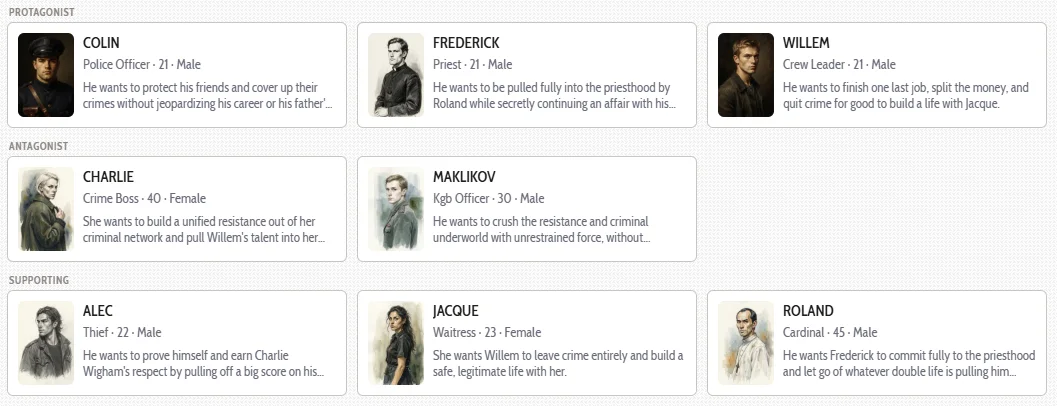
This is not a blank prompt box. The Story Breakdown our AI performs on your screenplay already reads your script and works out who the major characters are - their age, what they do, what they want, how they dress and what somebody notices about them first. Those people are promoted into your cast automatically, with their descriptions filled in. It even suggests the name of a recognizable actor or actress who represents the traits and look it sees from the script:
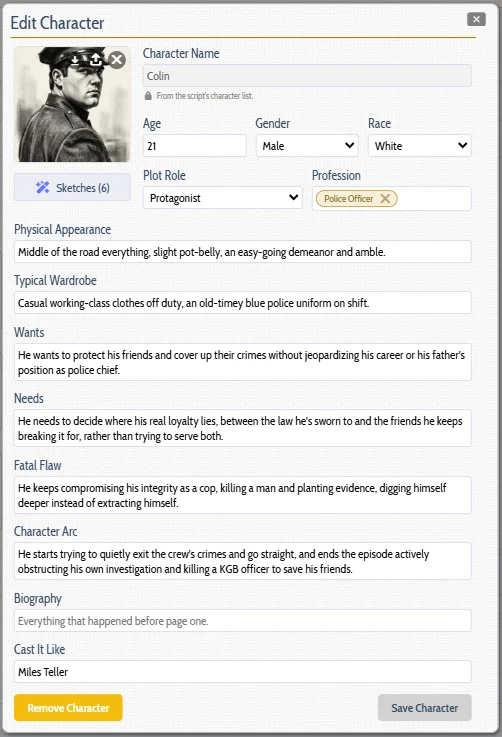
So by the time you press Sketch Character, the site already knows it is drawing a man in his thirties, a frontier sheriff, one-eyed, in a black Stetson and a long overcoat, with a look that unnerves everyone he meets and is modelled on Rutger Hauer. You do not type any of that again.
And if you would rather do it yourself, you can. Promote any character by hand, write their Physical Appearance in your own words, add in their typical wardrobe, and that is what gets drawn. Whatever is in the dialog when you press the Sketch button is what is used.
Eleven ways to see the same person
A character sketch is not one thing. A charcoal study is for you, pinned above the desk while you write. A period photograph is for the pitch. Line art is for a deck. So there are eleven to choose from:
Drawn - Charcoal sketch, Pencil study, Ink line art, Comic book
Painted - Painted, Oil portrait, Watercolour
Photographed - Photographic, Film still, Film noir, Period photograph
And you can specify where the camera stands
Two more choices, because a portrait is a photograph and somebody has to decide where to put the camera.
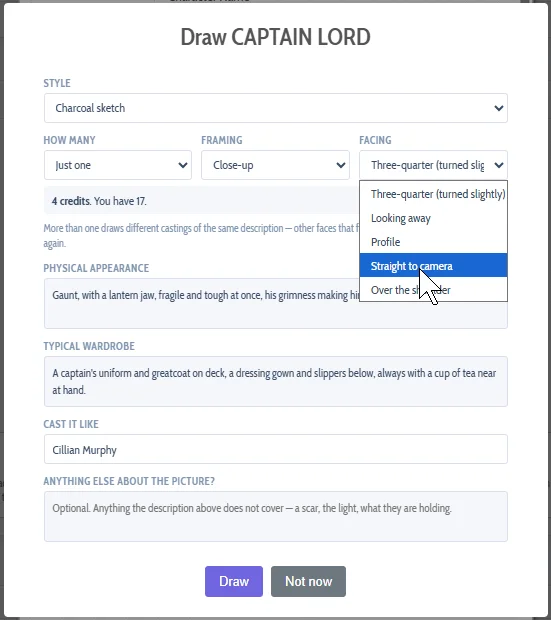
Framing - close-up, head and shoulders, chest up, waist up, or full length, when the costume matters as much as the face.
Facing - three-quarter, looking away, profile, straight to camera, or over the shoulder. Three-quarter is the default, because a face turned slightly away from the lens has a jawline and somewhere to look. Straight to camera is there when you want somebody confronting the reader.
Have an actor in mind?
Most writers have already cast the part in their head. Our AI breakdown will suggest a possible actor for each role, which you can keep or change. Name the actor you picture in the role, and the sketch is modelled on the look you are reaching for - the build, the age, the coloring, the way they carry themselves.
So, a marshal you see as Morgan Freeman and a marshal you see as Tom Cruise are two entirely different men, and now the site knows which one you meant.
What we do not do is ask for that actor (which might cause you legal issues down the line). Their likeness belongs to them, not to a screenplay - so the name tells us what the face should be like, and what comes back is your character. The name stays on their record either way, which is exactly where it wants to be when you write the casting notes.
The same character, four ways
Every picture below is Marshal Bodmer we mentioned earlier. Same screenplay, same description, same man - four different sets of choices.
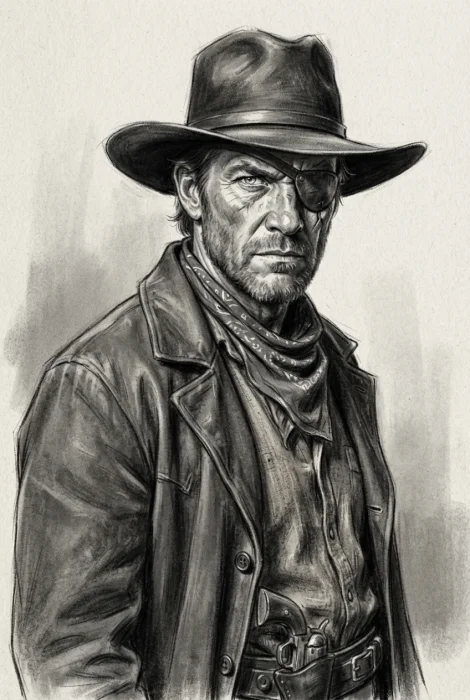
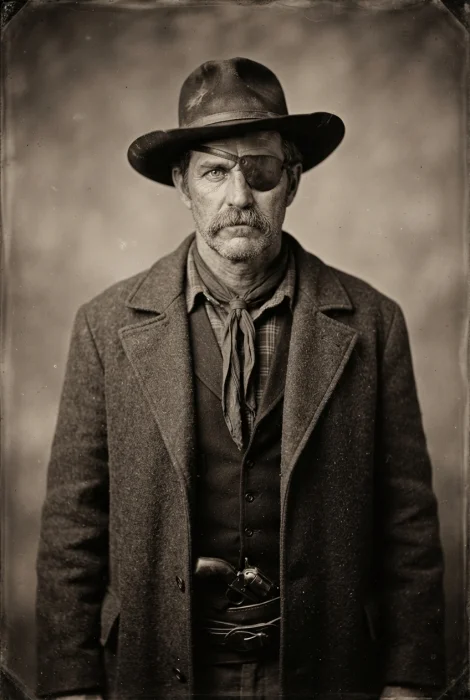
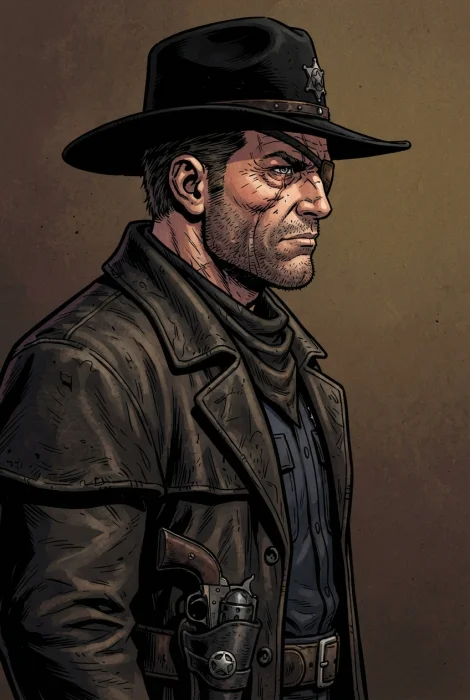
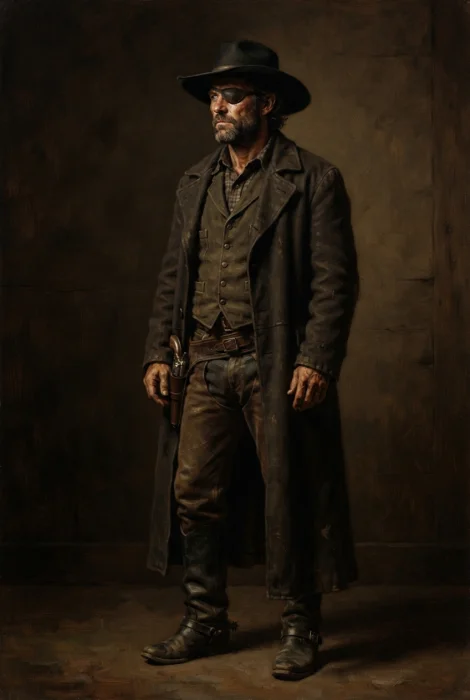
Charcoal, head and shoulders, three-quarter. Period photograph, waist up, straight to camera. Comic book, close-up, profile. Oil portrait, full length, looking away.
Up to three, and you choose
Draw one picture, or up to three. Three gives you a choice: the same description drawn as different castings - other faces that fit it - and one of them is usually the one you had in mind. One is often close enough on its own.
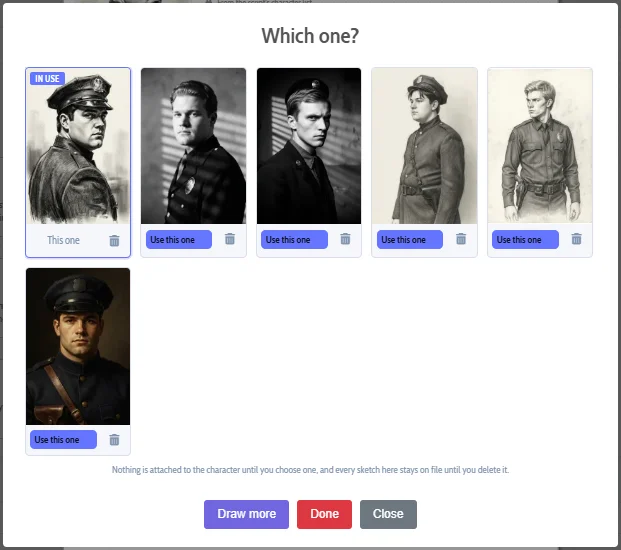
Which of them you use, if any, is entirely yours. Nothing is attached to your character until you choose it, and the ones you do not choose are kept, so you can go back next week and take the second one instead. And if the images generated are close but not right, tell it what to change - older, no hat, looking away - and draw again. They all stay in the gallery together:
The details that matter
Your cast, described properly. Age, gender, race, profession, appearance and typical wardrobe all feed the drawing. Just asking for "a farmer in his thirties" is not specific enough to get worthwhile, usable sketches, so we let you get specific, in look, clothing and actor suggestions to let us get it right, the first time.
The period comes from your screenplay. A Western gets a Western. The genres and the logline go with the request, so a frontier sheriff arrives in a frontier town rather than in a modern denim jacket.
You own what comes out. Download any sketch as a JPEG named after your character, ready for a look book, a pitch deck or a casting note. Delete any you do not want.
What it costs
Four credits a sketch - twelve for a set of three - and you are only charged for pictures that actually arrive (keeping in mind that AI might occasionally refuse to create some pictures). The price in AI credits is shown clearly before you press the Draw button, as it is everywhere else on Script 360.
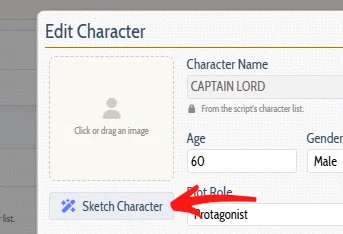
Open any screenplay, go to Characters in the Script Elements widget, and click somebody. If the character list is empty, you can either manually promote a character yourself or run the Story Breakdown analysis in the AI widget to let us build the entire list of main and supporting characters. The Sketch Character button is under their portrait:
Go and see who has been living in your pages!
Comments