

Ever wonder how other writers will judge your screenplay? With Member Reviews, fellow screenwriters on Script 360 read your script, score it on the same nine categories as all of our coverage, and write a review that includes their thoughts on what to do next — real-world feedback from real people that can provide valuable feedback as you hone and polish your script.
If you are a Talentville member, you already know how this works. Member Reviews on Script 360 work very much like Talentville's reviews: Review Credits take the place of TalentDollars, you get Review Assignments with a week to finish them (and a three-day extension if you need it), and every review you write earns credits for reviews of your own scripts.
How it works
- Publish your draft. Reviewers read your published copy, so publish the draft you want read.
- Order reviews. On your script's summary page, press Buy Member Reviews… in the Member Reviews section and choose how many you want — up to three at a time.
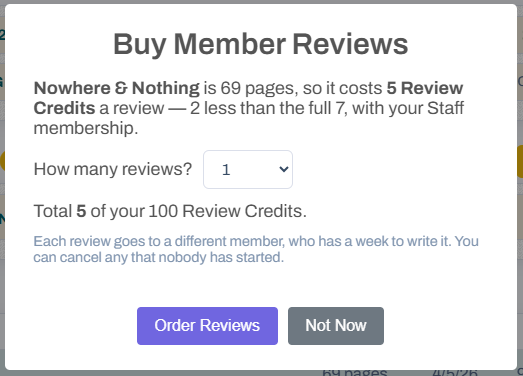
- Members review it. Each review goes to a different member, who has a week to read your script and write their review.
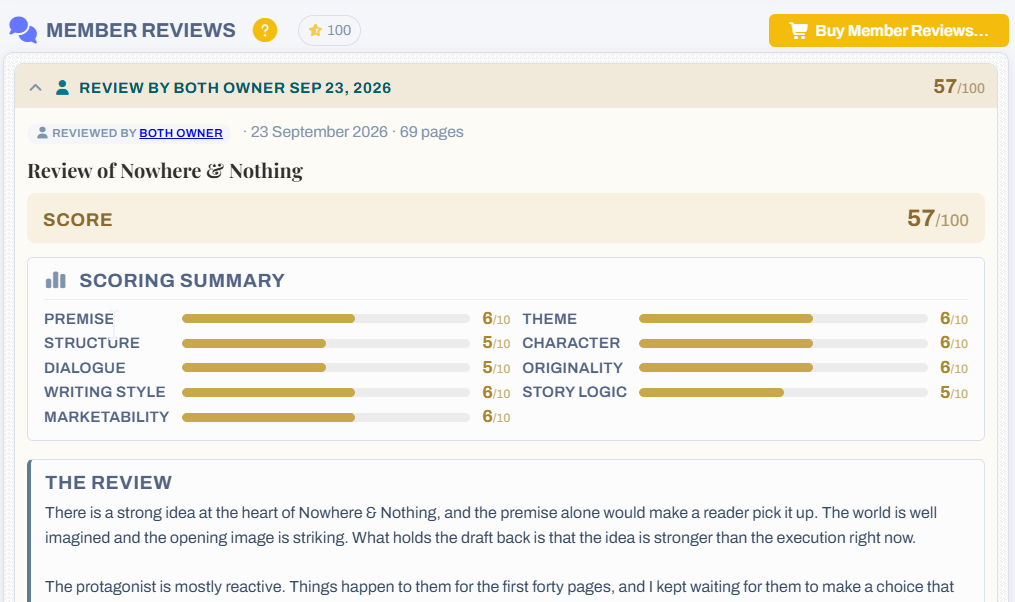
- Read your reviews. Each review is emailed to you in full, and appears on your script's page with the reviewer's name, their nine scores, their review and their advice.
Review Credits
Reviews are paid for in Review Credits — one credit for every ten pages of the script, so a 110-page feature costs 11 credits a review. Paid Basic and Pro members pay a little less. There are two ways to get them:
- Earn them by reviewing. Open Review Assignments from the menu under your avatar (in the top-right corner of the dashboard) and we will give you another member's script to review. Submit your review and you earn its full price in credits. Reading other writers' work with a critical eye is also one of the best ways to sharpen your own.
- Or buy them. No time to read and review other members' scripts? Buy 40 Review Credits for $50 from the Review Credits page — enough for three or four reviews of a feature.
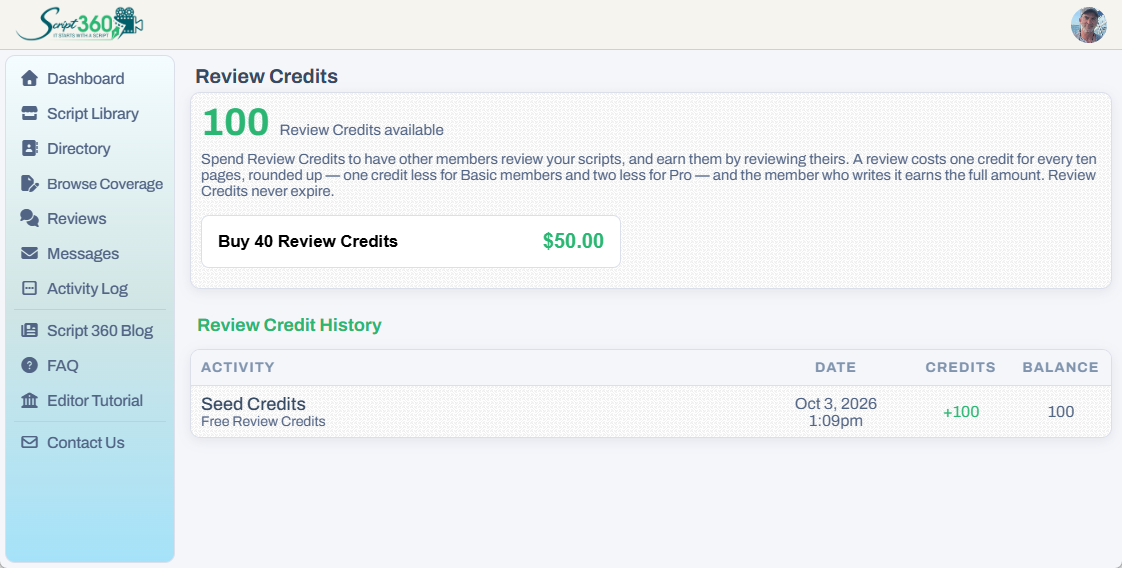
Review Credits never expire. Your balance, the credits you have bought, earned and spent, and the option to buy more are all on the Review Credits page, in the menu under your avatar.
Questions or ideas? Write to us at info@script-360.com.
Comments