

A good poster tells people what your story feels like before they read a word of it. Our One Sheets have always been designed from your own story, and now you have far more say in how they look.
Here is what's new.
Already know what you want? Describe your own
Maybe you have pictured your poster for years. Now you can just tell us what it is. On the Poster concepts screen, press Describe your own. It's free.
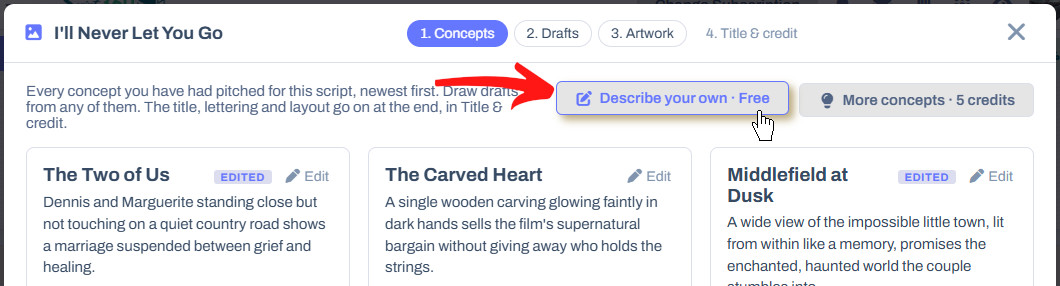
Write what the poster should show, in your own words. The scene, the mood, a color or a look you have in mind. Say as much or as little as you like, and if you already have a tagline, put it in too. Then tick who is in it, up to three of your characters. Anyone with a character sketch is drawn with that face, so your poster shows the same people you have already cast.
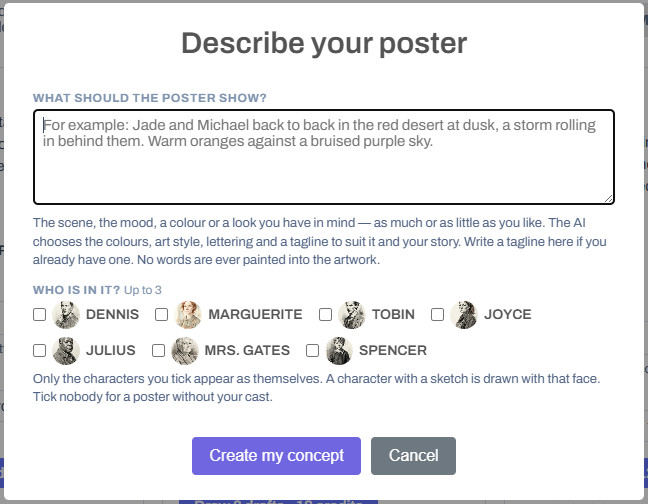
Press Create my concept and we fill in the rest: the colors, the art style, a lettering that suits your story, and a tagline if you didn't write one. It keeps your idea, not ours. Then draw it, just like any other concept.
Would you rather see some ideas first? Pitch me some concepts still gives you three, and More concepts now always brings new ones, not the same three in other words.
Sixteen ways to draw it
Every concept has a Style, and there are now 16 of them. Pick a cinematic photograph, black and white, or a double exposure. Go painted, with watercolor and ink, charcoal and pencil, a pulp paperback or an old VHS cover. Try something graphic, like a screen print, a graphic novel, a woodcut or an art deco poster. Or go animated, in 3D or anime.
Not sure what a style will look like? Click See examples beside the Style list and you'll see the same poster drawn in every one of them. Click one you like to choose it.
Still can't decide? Choose Try 3 styles, picked for your story at the top of the list. We choose three styles that could work for your kind of story and draw a draft in each, so you can compare them side by side. It costs the same as any three drafts.
A whole new title step
Once your artwork is finished, it opens in Title & credit with your title already on it. This is where the poster really becomes yours, and it has had the biggest upgrade of all.
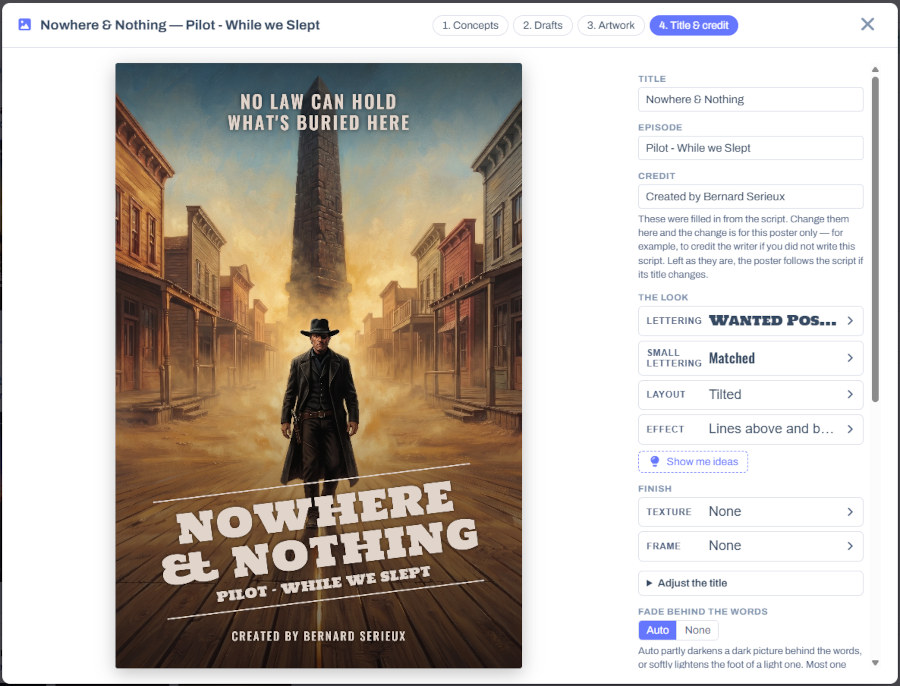
Four buttons decide the look, and each one shows you your own poster, so you choose by seeing rather than guessing from a name:
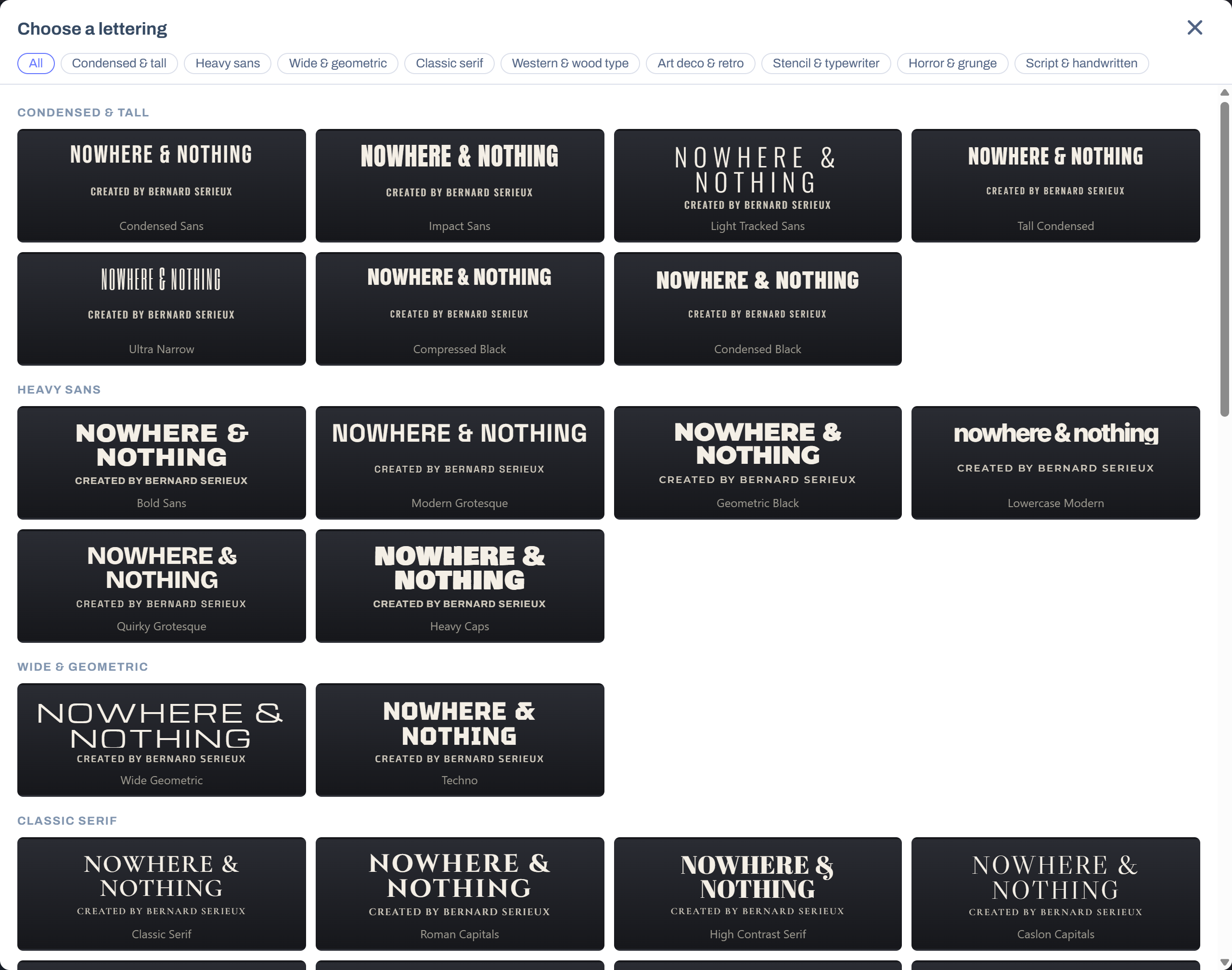
- Lettering: over 60 typefaces for your title, each one spelling out your title. Tall thriller capitals, classic serifs, Western wood type, art deco, stencils, horror, handwriting and more.
- Small lettering: the typeface for your tagline and writing credit.
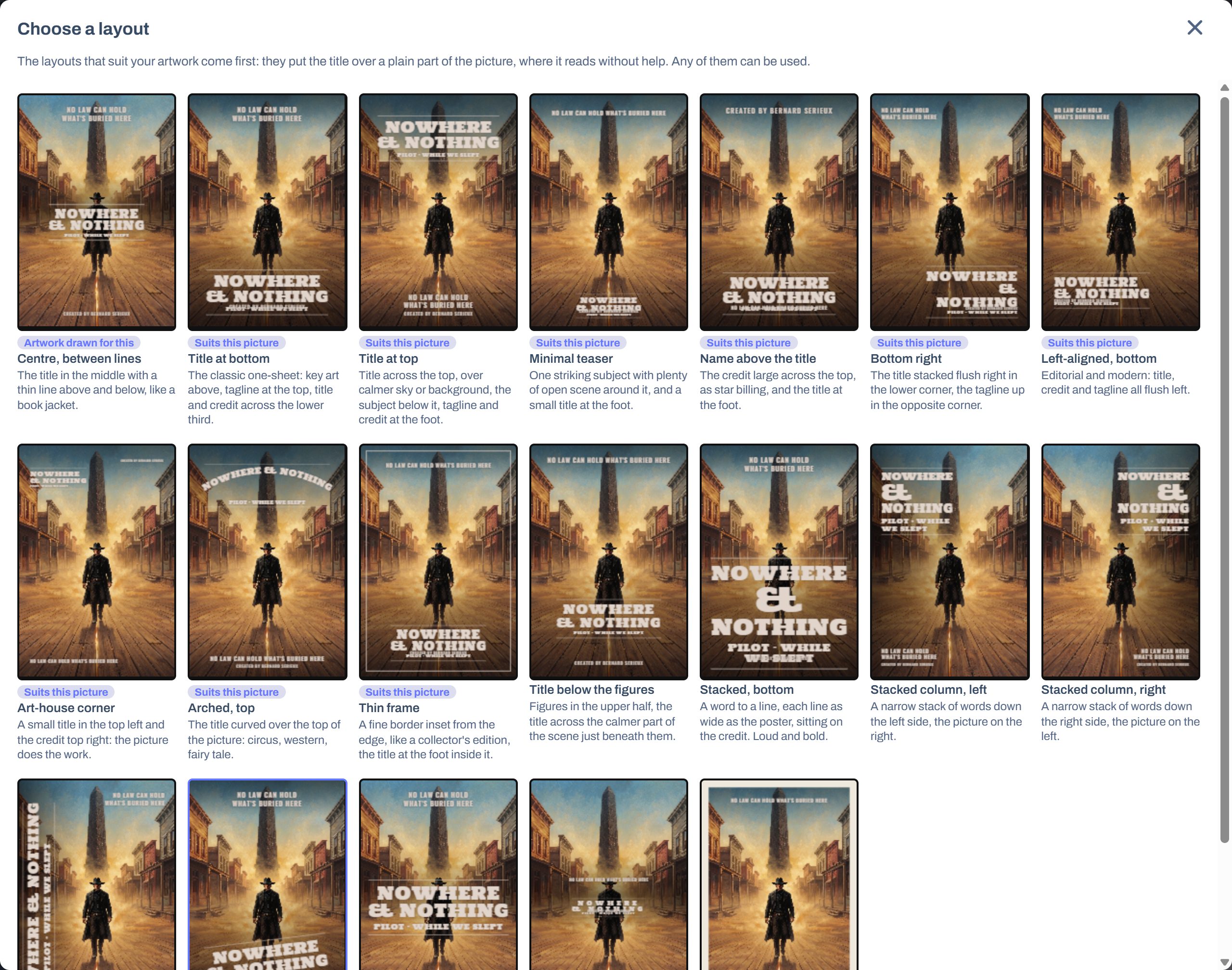
- Layout: 19 ways to place the words. Title at the bottom or the top, stacked a word to a line, up the side, tilted, curved, huge across the middle, or small and quiet in a corner. The ones that suit your picture are marked.
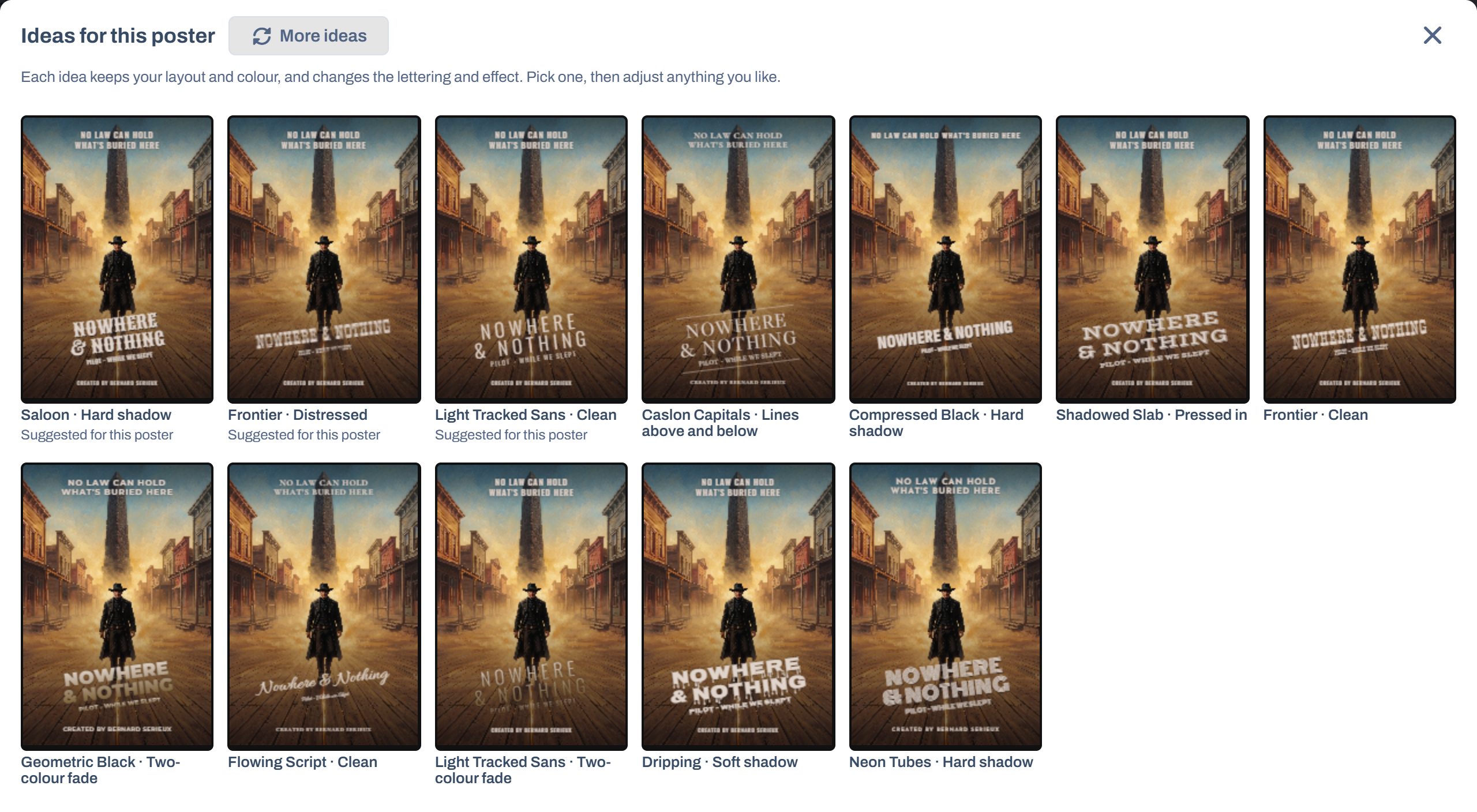
- Effect: 17 finishes for the letters, from a soft shadow to gold, chrome, neon and a worn, distressed print.
Want a great poster without trying everything? Press Show me ideas. You'll see your poster with a dozen different combinations of lettering and effect, the ones picked for your concept first. Click the one you like, and you're done.
Then fine tune it if you like. Make the title bigger or smaller, move it up or down, spread the letters out, or keep it to one line. Pick colors taken from your own artwork. Show or hide the tagline and change its size. Your poster stays in view the whole time, so you see every change the moment you make it.
None of that costs a thing. The artwork isn't redrawn, only the words, so change them as often as you like.
Your older posters are safe
Posters you made before look exactly as they always did. Open one from the One Sheet tab whenever you like and try the new lettering and layouts on it.
Want to see what other writers have made? Take a look at our One Sheet examples →. For every step and option, see Can I create a movie poster for my script? →
Questions or ideas? Write to us at info@script-360.com, chat with us from your dashboard, or post them on the Discussion Board.
Comments