


Script 360 is where screenwriters write, organise and develop their screenplays - a proper screenplay editor, scene boards, drafts, collaborators and a set of AI tools that read your pages and tell you what a reader would think of them.
We are happy to announce two new pages: a Script Library, where screenplays are listed, and a Member Directory, where you can find the other writers on the site. Both have filters down the side, so you can look for a half-hour comedy or a feature thriller, or for a producer three towns over, and actually find one.
For anybody who knows Talentville, they work much like the Script Library and the Resident Directory there, but set up in the context of Script 360 users, scripts and extras.
The Script Library
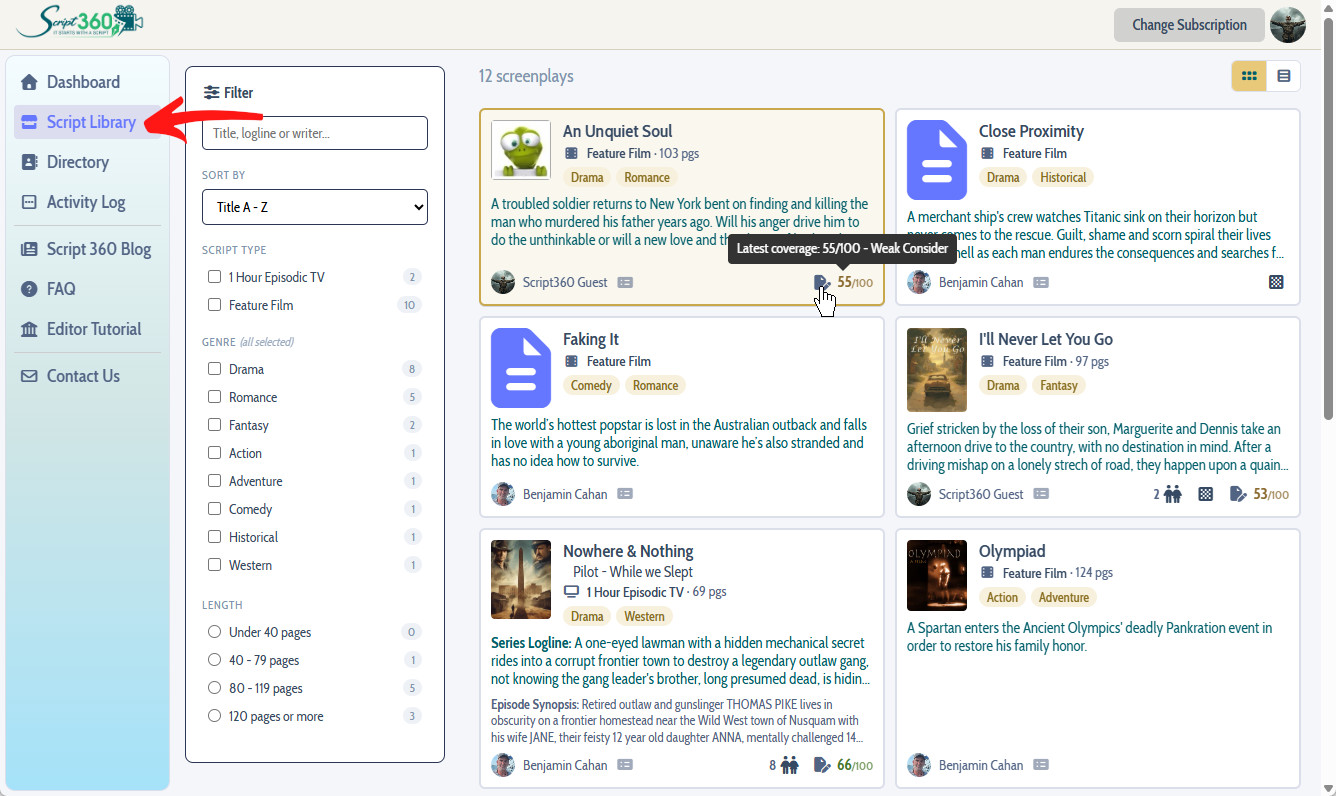
This is the part worth being clear about. Every screenplay on Script 360 starts out private. Nothing was swept into the Library when it launched, and nothing will be. If you have written or uploaded scripts here, they are not displayed until you decide they are ready for others to discover.
Adding your scripts to the Library
A simple process. Log in and look at your Screenplays list on the dashboard. Every script there now has a small Library icon beside it.
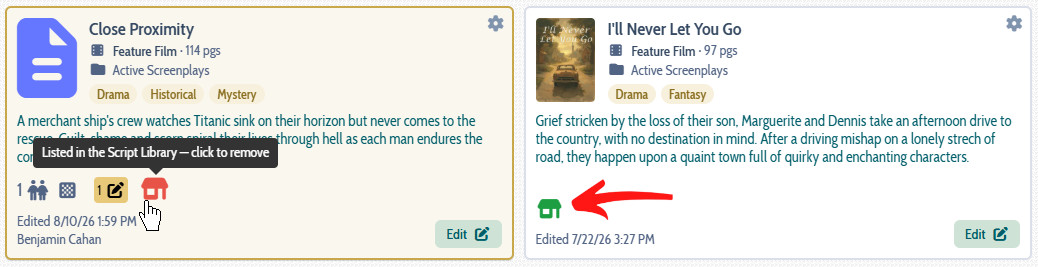
Gray means it is private, green indicates it will appear in the Script Library. Click it to toggle it on or off. The same setting is on each script summary page if you would rather work there, where it appears as a labelled toggle switch rather than an icon.
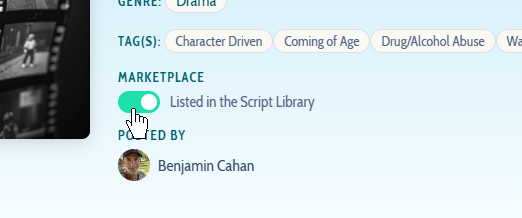
One thing to know: listing your scripts in the Library is a benefit reserved for Basic and Pro members. If you are on the free tier the switch will tell you so.
What the Script Library does and does not do
It puts your screenplay where members browsing the site will come across it - the description, the poster, any images you have attached, and whatever coverage you have chosen to show.
It does not hand anybody your screenplay. That still happens the way it always has, by you inviting them. In the coming weeks we will be adding a request feature, where others can ask you for permission to read your screenplay - stay tuned for that.
The Member Directory
The other new page is the people. Everybody on the site, with filters down the side for the roles members have given themselves, a box to search by name, and sorting by name, by when they joined, by when they were last here, or by how far away they are from you.
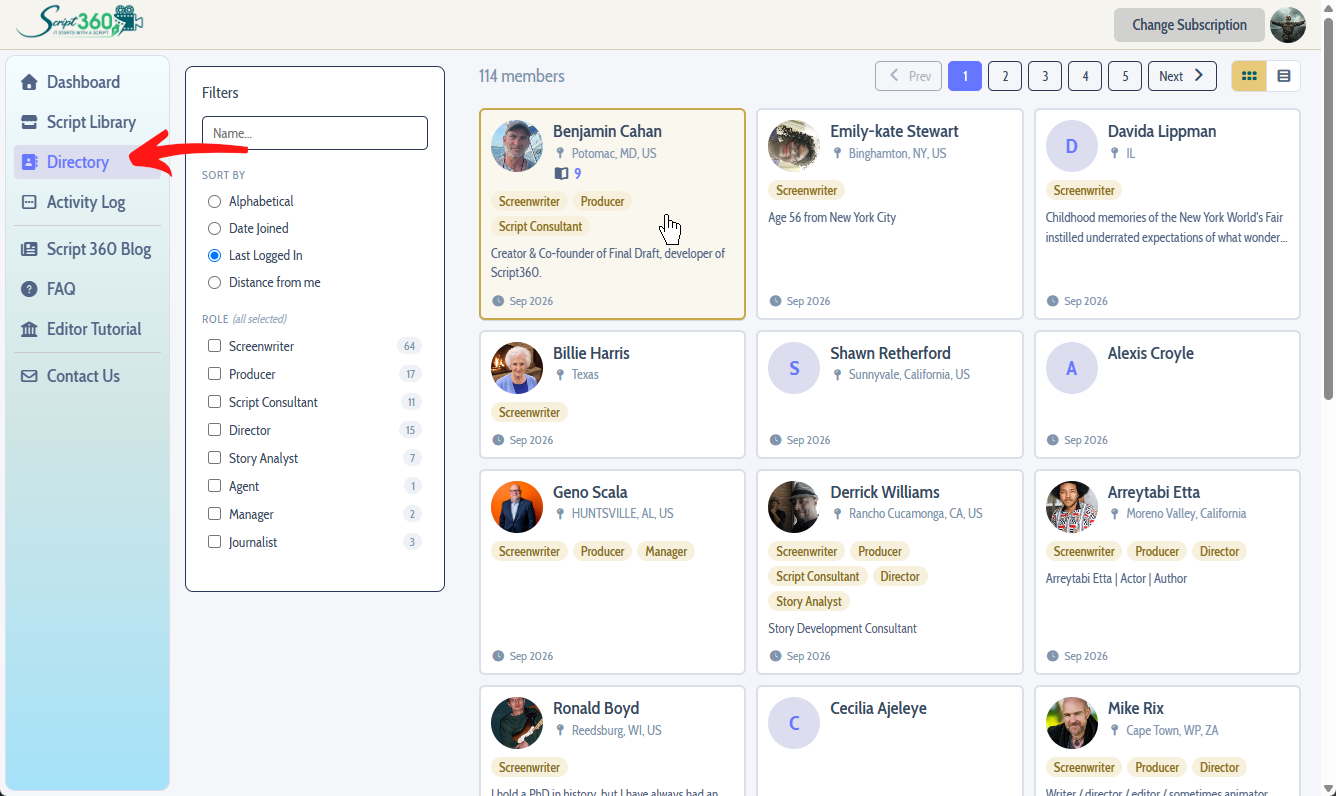
This one works the opposite way round from the Script Library. Your screenplays are private until you list them. You are already in the Directory. It is the membership list, so everyone starts out included rather than waiting to be found.
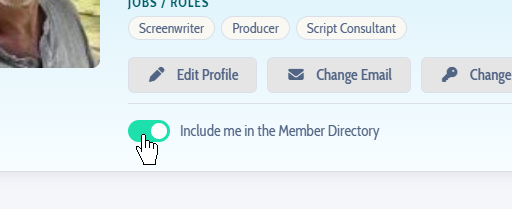
If you would rather not be, that is one click. Go to your profile page and turn off Include me in the Member Directory, and you are out of it - and you can turn it back on whenever you like.
What other members see is your name, your picture, the roles you have picked, your town and how many of your screenplays are in the Script Library. Never your email address, and never your street address.
One thing worth doing while you are there: if your profile has no location information on it, add some. It is what puts you on the map for the members who sort the Directory by who is nearby - useful if you are looking for people to work with in person.
- Ben Cahan
Comments