

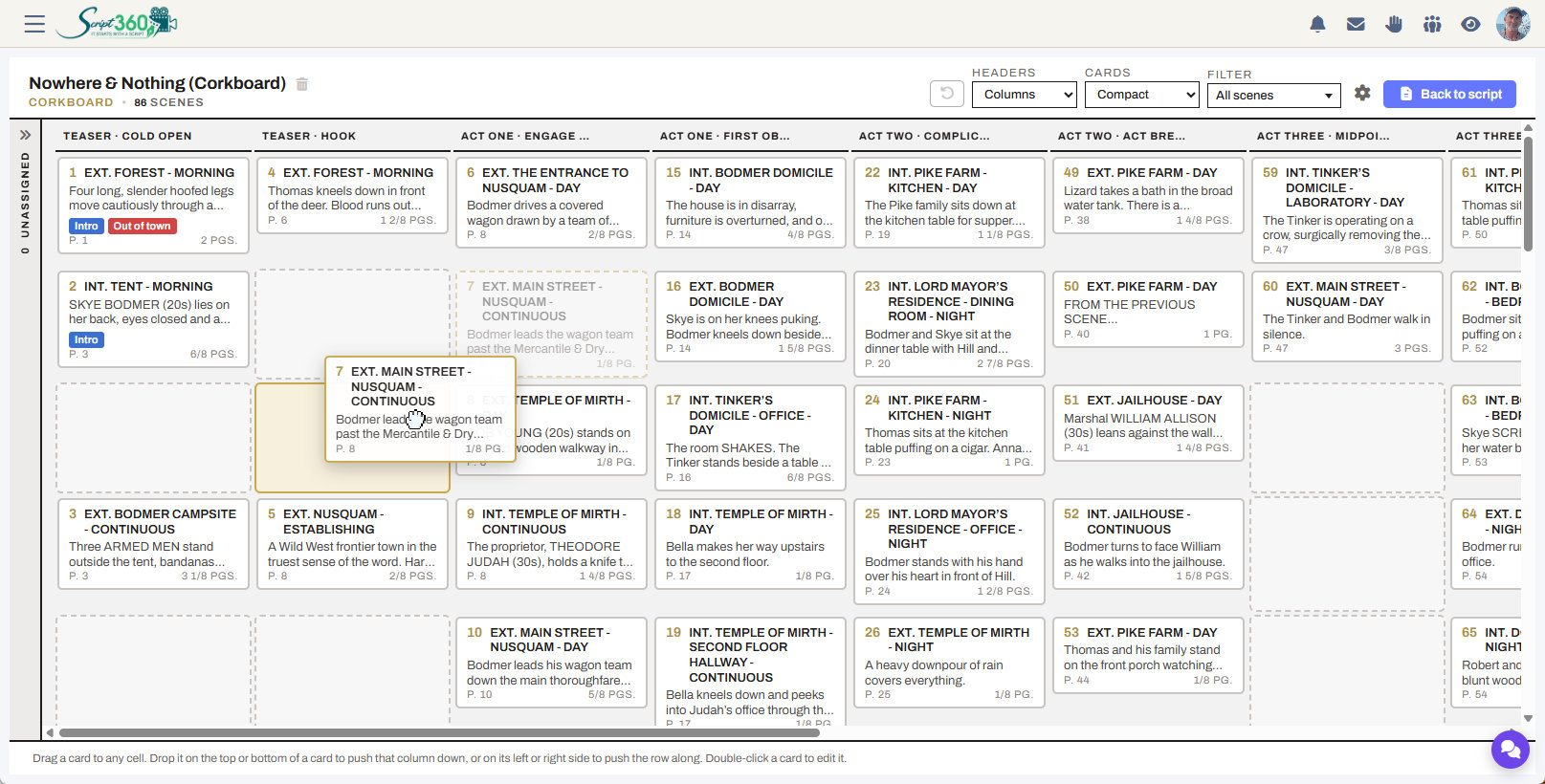
Our Beat Boards lay your scenes out in the acts and beats of a story structure. That is a great way to see the shape of a story. But sometimes you don't want a structure yet. You just want to get your scenes up on the wall and move them around until you can see what you have.
That is what the new Corkboard is for.
Index cards on a wall
Think of a corkboard with index cards pinned to it. A Corkboard is a grid of rows and columns, and you can put a card in any spot you like. Leave gaps. Make piles. Put every scene with your villain in one column and all the flashbacks in another. Nothing on it says what order your story has to follow.
Give any column a name and a color, like "Maybe," "Set pieces," "Act II ideas" or the name of a subplot. The groups are yours, and you can change them whenever you like.
Develop your story inside your Ideas
Working out a new story? On your idea's page, press the + beside Scene Boards and choose Corkboard (no structure). Or open one of your idea's Beat Boards and choose Copy to corkboard from its gear menu. Each beat becomes a named column with its cards in the same order, ready for you to pull apart.
When the story is ready, Create script asks which way to read your Corkboard, down the columns or across the rows, and writes your scenes into a new screenplay in that order.
See your script's scenes any way you like
Your screenplay can have a Corkboard too. Open your script's Beat Board and choose Make a corkboard from its gear menu. It holds the same scenes, so you can group them by character, by location, by subplot, or any other way that helps you see your story fresh.
Moving cards around on a Corkboard never changes your screenplay or your Beat Board's layout. Any new card you add there also waits in your Beat Board's Unassigned column, as a note for later. And Scene Boards, in the editor or on your script's page, opens whichever board you used last.
Moving cards
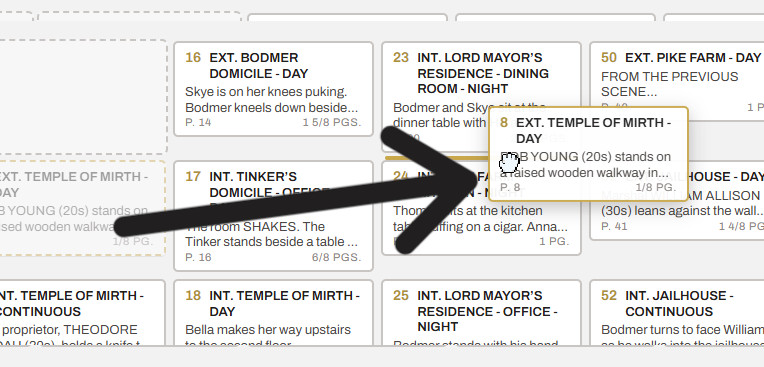
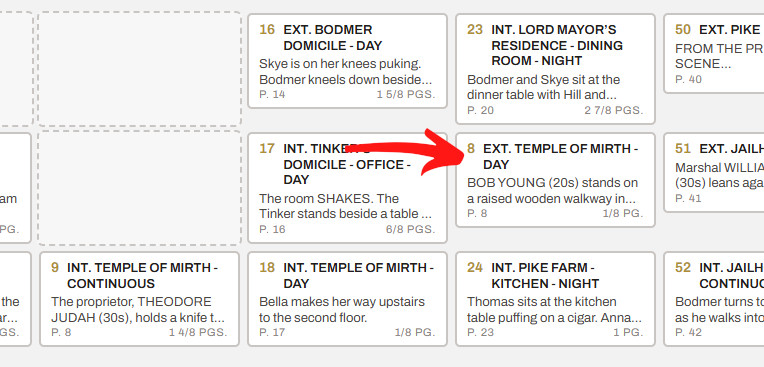
Drag a card to an empty spot and it stays right there. Drop it on the top or bottom edge of another card and it goes in above or below it, and the cards in that column move down to make room. Drop it on the left or right side of a card and the row moves over instead. Cards only move as far as the next empty spot, so your other groups stay put.
Names across the top, down the side, or none at all
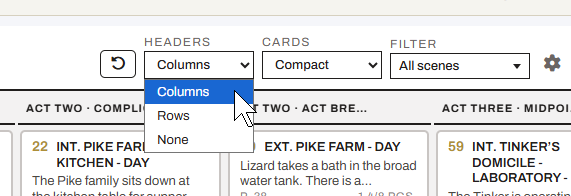
The Headers menu decides where your group names go. Choose Columns for names across the top, Rows for names down the side (the whole board turns, so each group keeps its cards), or None for nothing but your cards.
Want the details? What is a Corkboard? → How do I use a Corkboard? →
Questions or ideas? Write to us at info@script-360.com, chat with us from your dashboard, or post them on the Discussion Board.
Comments