
Activity Log
We will send you an email right away
When a Script 360 member invites you to be a collaborator on one of their scripts, we send you an email letting you know:
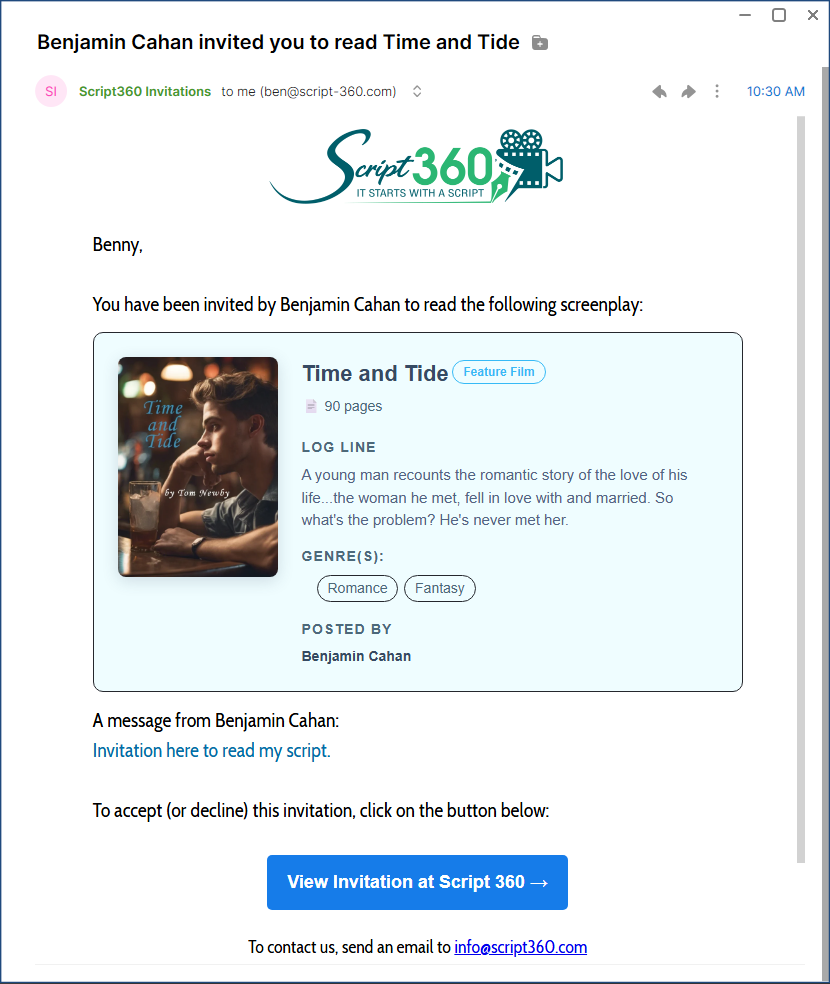
To act on the invitation, just click on the big blue button, which will take you to the following browser page:

Accept or decline the invitation as you wish. The author will be alerted via email letting them know your decision.
If you Accept an Invitation
• If you are a Script 360 member
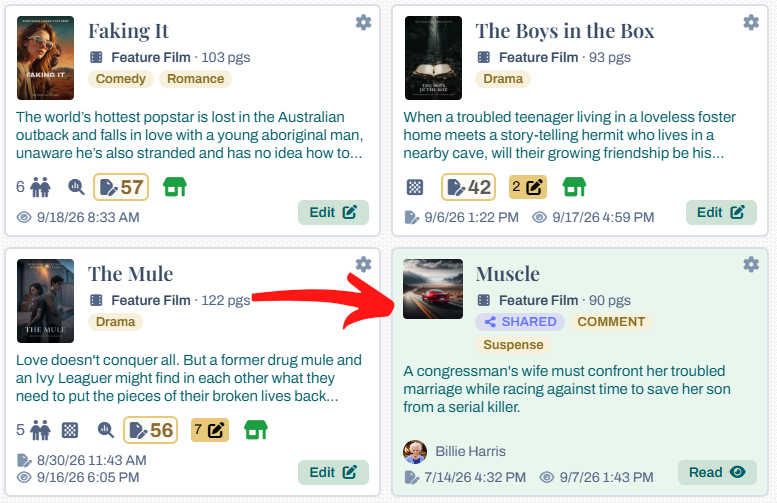
Log in and you will see the script in the Screenplays widget on your Dashboard, drawn with a light green background to mark it as one somebody has shared with you:
• If you are not a Script 360 Member
We will send you another email with a link to go directly to the screenplay, with whatever privileges included in the invitation:

For everyone's security, we will authorize your browser to bring up the script right away, but every three days you will be sent a one-time password to ensure it is really you:

We do this for non members, so to avoid the need to occasionally reauthorize your access, become a Script 360 member (using the same email address from the invitation) and you will be able to access the script directly from the Dashboard page.
Loading content...
Loading screenplays…
Loading members…
Loading coverage…
Loading posts…
Education
Webinars and articles on the craft and business of screenwriting, from Script 360 and writers who know the work.
Loading webinars…
Loading articles…
Attachments/Media
The tabs in this section are currently hidden. Click on any of the tab titles above to open one.
| Title | Size | Uploaded | Actions |
|---|
No Attachments
No Images
No Videos
No Audio Files
Series / World
For a TV series, or a film and its sequels: keep the characters and locations that recur here, and every script you add to the folder can bring them in.
The tabs in this section are currently hidden. Click on any of the tab titles above to open one.
Scripts
Attachments/Media
The tabs in this section are currently hidden. Click on any of the tab titles above to open one.
| Title | Size | Uploaded | Actions |
|---|
No Attachments
No Images
No Videos
No Audio Files