

A lot has been added to Script 360 since our last update. There is a new place to talk with other writers, a new place to learn, a better way to keep a series together, and more ways to picture your story. Here is what is new, and where to find it.
The Community page and Discussion Board
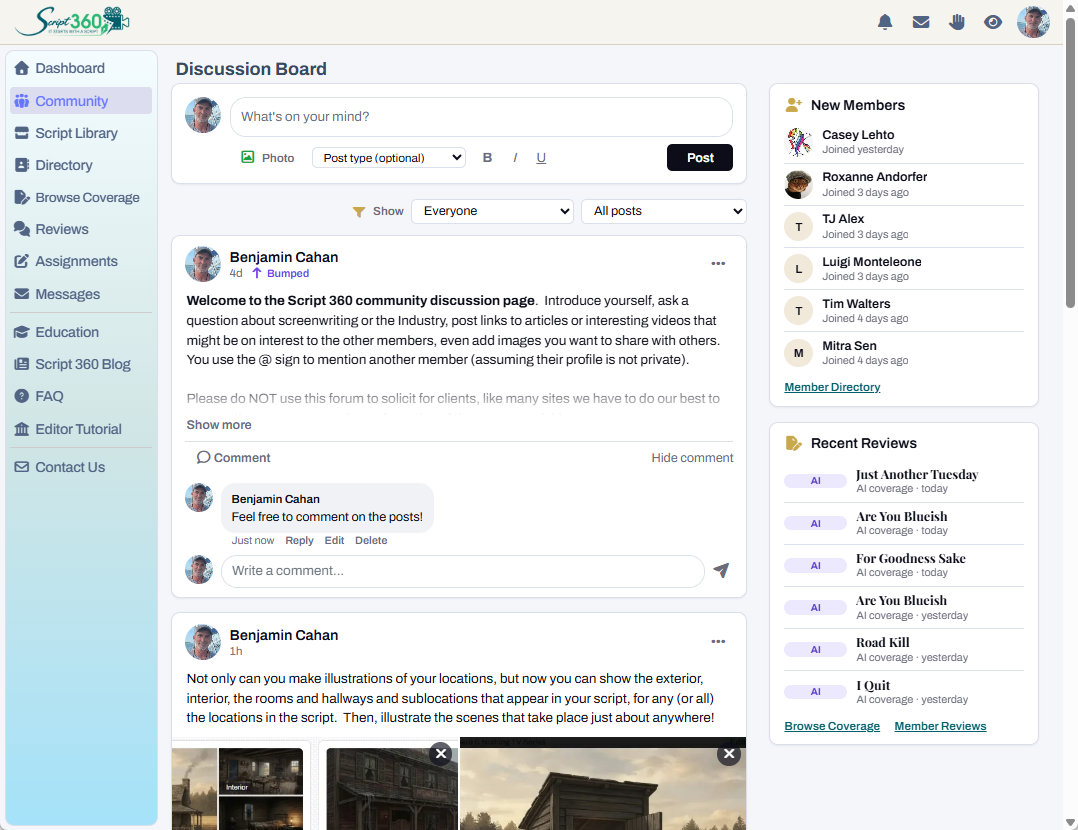
Script 360 now has a Community page, in the sidebar: a new interactive home for everyone on the site. At its heart is a flexible Discussion Board, much like the News Feed you may remember from Talentville, with other community news around it, such as who has just joined and the latest reviews, changing as the site does.
Ask a question, share some news, celebrate a placement, or just say hello. Add pictures, a link or a video, mention another member with @ so they hear about it, and like and reply to what others post.
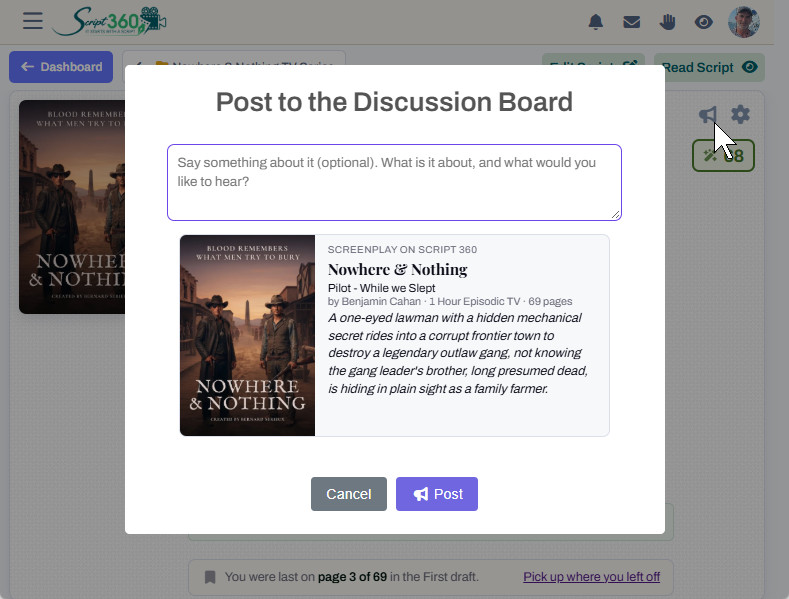
Proud of a screenplay? Click the bullhorn on its summary page to Post to the Discussion Board, and share it, poster and all, with everyone. New here? Introduce me on the Discussion Board from your profile. Scripts and blog posts have their own discussions too, right on the page.
New menus at the top of every page
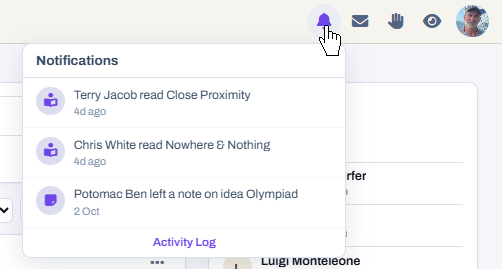
At the top of every page there are four new icons, each opening its own menu: a bell for your notifications, Messages, Read Requests, and the scripts you have viewed recently. Who read your script, who left you a note, who wrote to you: it is all one click away, wherever you are on the site.
Education: webinars and articles
The new Education page, in the sidebar, is where you will find our webinars and articles. They are all coming soon, so stay tuned for articles written by experts in the field, and webinars that we hope will educate, motivate and invigorate everyone to keep writing.
Series and World folders
Writing a TV series, or a movie with sequels? Put the scripts in one folder and switch it to Series / World. The folder then keeps its own characters and locations. Send a character up to the series once and every episode can have them, and a script that is assigned to that folder can automatically import the entire recurring cast and the repeating locations, ready to go.
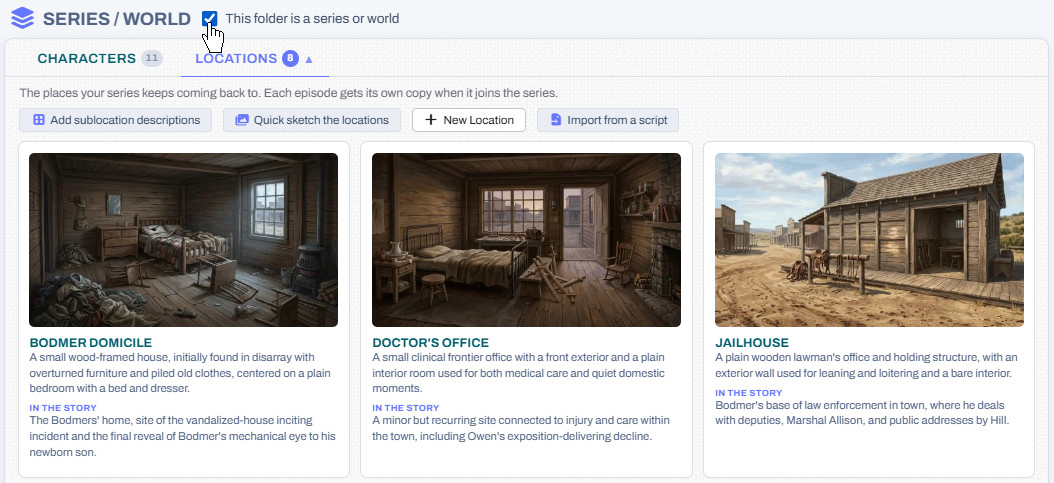
Each episode keeps its own copy, so a character can change in one episode without touching the rest, and you can update it from the series whenever you like.
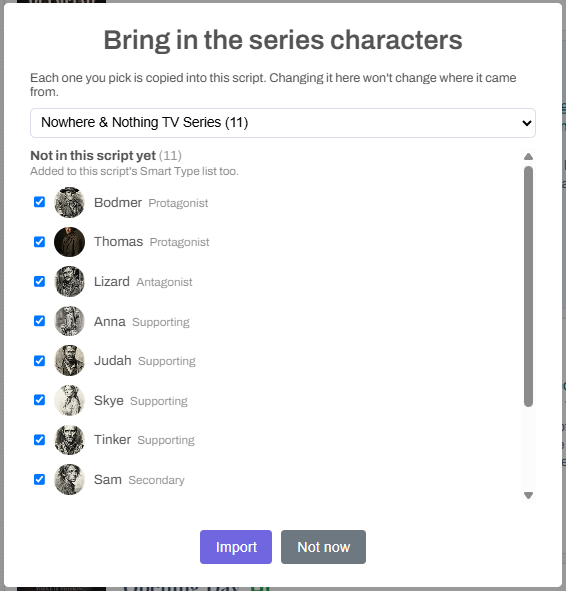
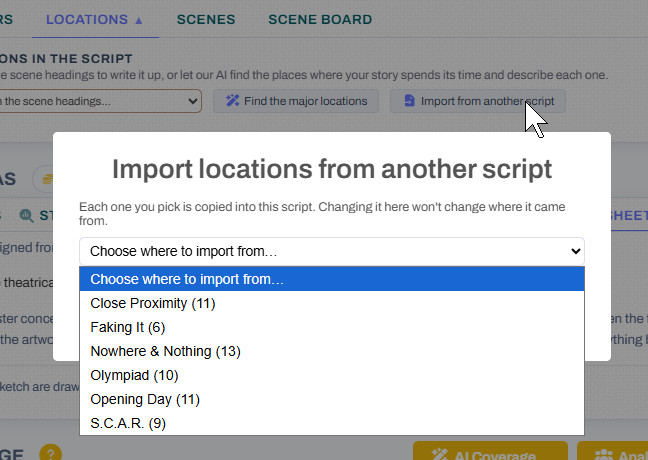
Not writing a series? Import from another script, on the Characters and Locations tabs, brings characters and places across from any of your other screenplays, as copies you are free to change.
Every room, in any style
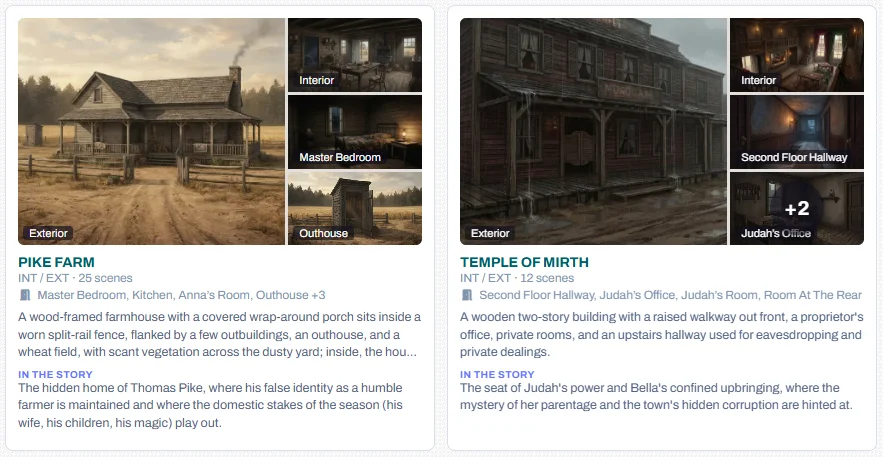
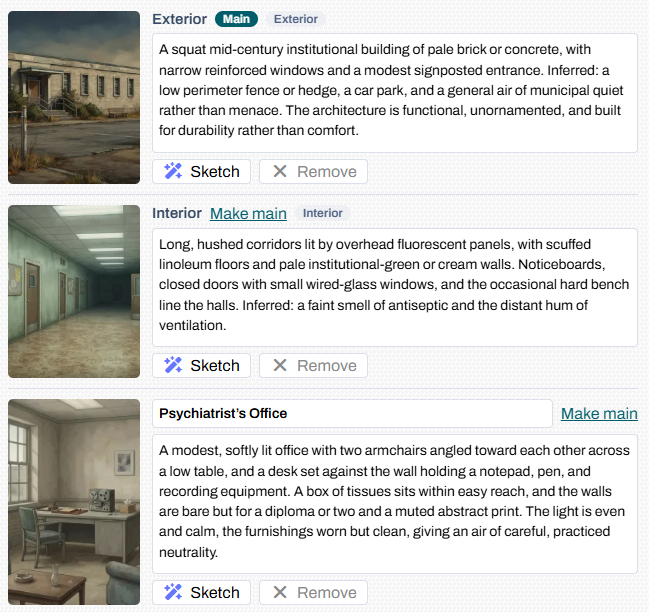
Your locations now come with their sublocations: the outside, the inside, and every room, from the kitchen to the bedroom. Our AI can describe each one from the scenes set there, and every sketch is drawn to look like the same place.
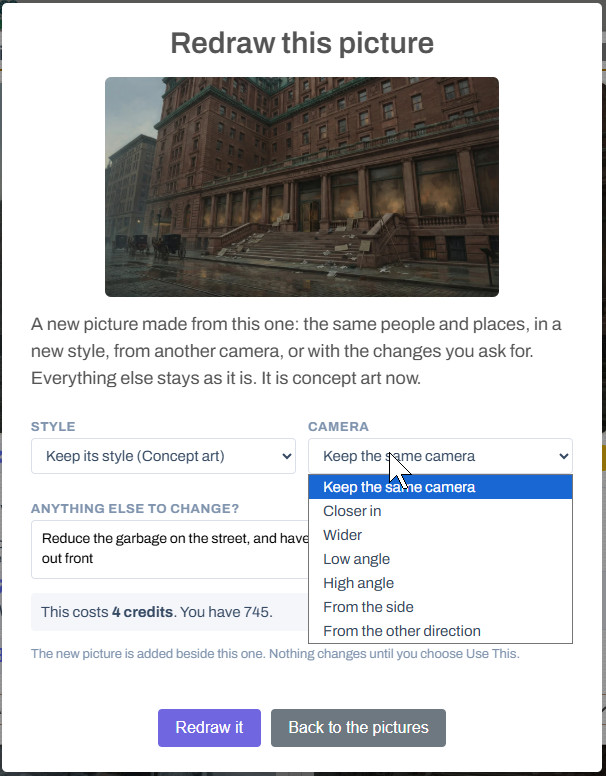
Have a picture you almost love? Redraw it. Pick a new style, move the camera closer, wider, higher or round the other side, or just say what should be different, and we redraw it from the picture you already have. It works for characters, locations, scene pictures and one-sheet drafts, and costs the same as drawing a new picture.
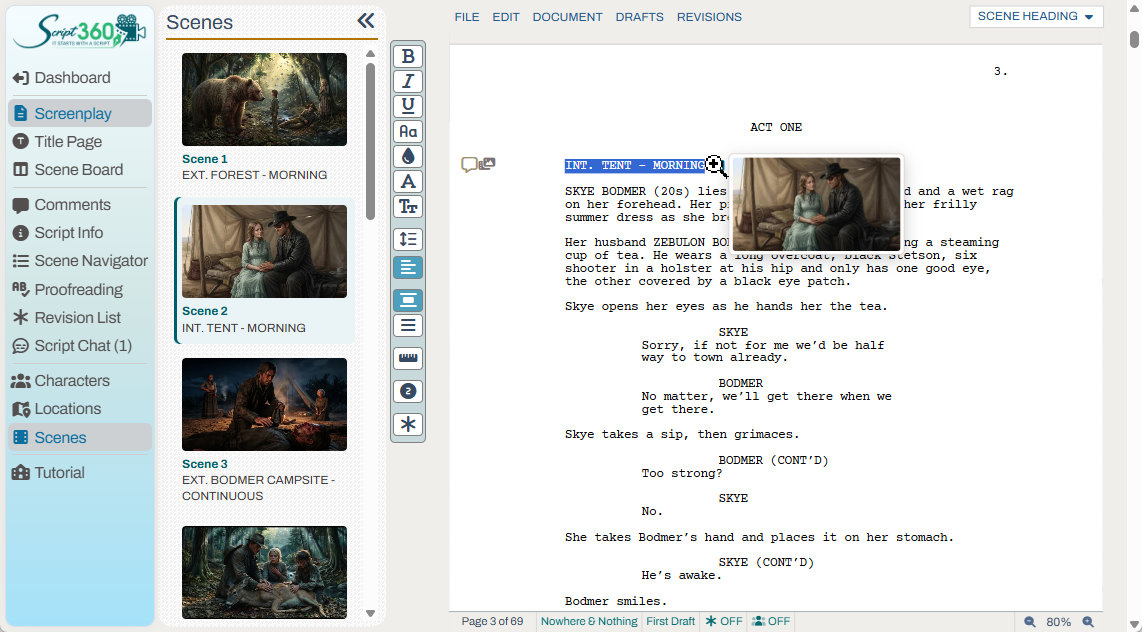
And in the editor, every scene with a picture now shows a small picture icon beside its heading. The new Scenes panel in the sidebar lists them all: click one to go straight to that scene.
Can I sketch sublocations, like the office, or bedroom, or kitchen? →
Other additions
- New drafts from Final Draft. If you export your script and edit it in Final Draft, now you can upload the FDX file as a new draft, and all the script comments and attached scene images will still be there, seamlessly.
- IMDb links. Add your IMDb page to your profile, and a listed script's IMDb page to the script.
- Faster proofreading. In the editor's Proofreading panel, make (or discard) a correction and it moves straight on to the next one.
- A cleaner public page. Every section of your script's public link now opens and closes the same way, and remembers how each reader left it.
In case you missed it
- Member Reviews. Review other members' scripts to earn Review Credits, and spend them on reviews of yours.
- Locations and Scenes. Sketch the places your story happens and picture your key scenes, with your own characters in them.
- The October AI Credit Sale. 20% off AI credits until October 31, on top of your member discount.
Questions or ideas? Write to us at info@script-360.com, or post them on the Discussion Board.
Comments