

This update brings writers together in groups, and gives you new ways to show the world of your script: every side of a location, several shots within a scene, and AI coverage that remembers what it told you last time. Here is what is new.
Groups
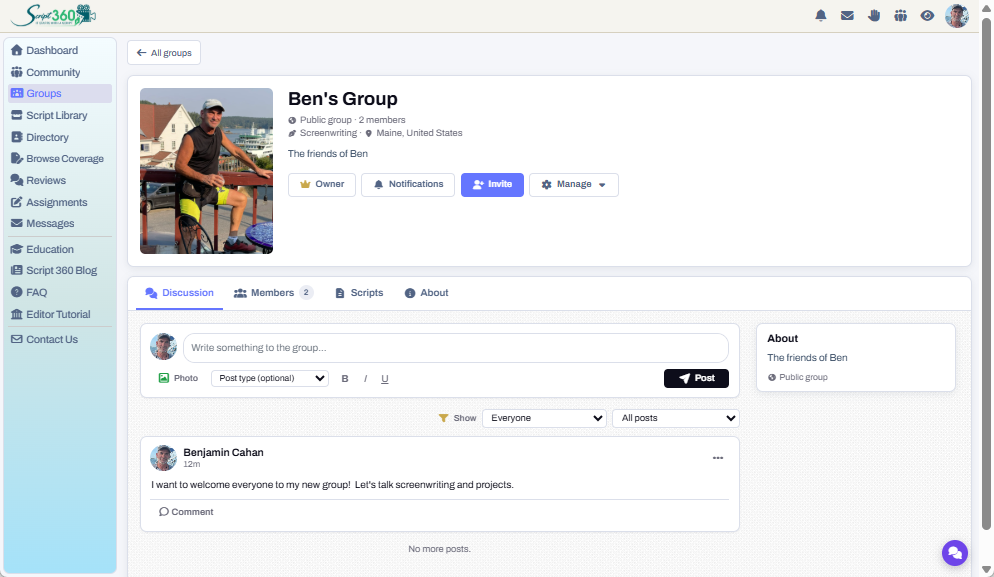
Find a group, create a group, invite fellow members and get the discussion started. Open Groups in the sidebar, under Community, and browse by topic. Join a public group straight away, or ask to join a restricted one.
Basic and Pro members can start their own, open to everyone or by invitation only. Press Invite and the Member Directory opens with a + on every member's profile card, so you can pick the members who live near your group or write in your genre. Then post, comment, and even share a script with the group so every member can read it and leave notes.
Location views
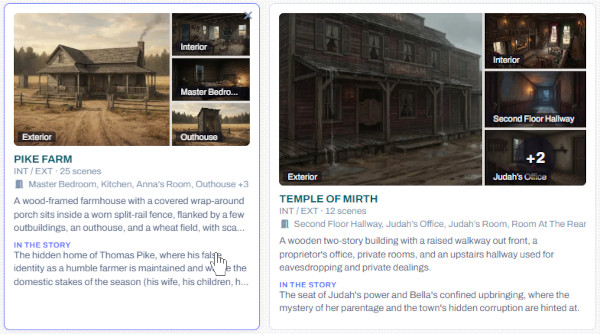
A location is rarely a single picture. A farmhouse has its porch and its kitchen; a police station has its front desk and its interview room. Each location in your script can now hold an exterior, an interior and as many rooms as the story needs, each with its own picture, drawn to match the others.
Open a location and press Describe the views: the AI reads the scenes set there and writes a description of each view, which you can edit. Then sketch them, or upload your own. Together they give a reader a real sense of how you see your film's places.
More about locations and scenes →
Scene shots
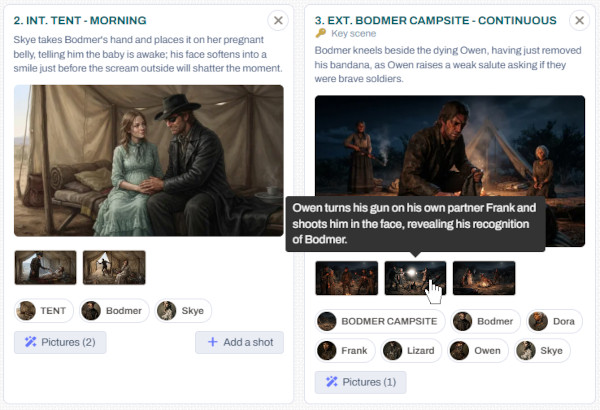
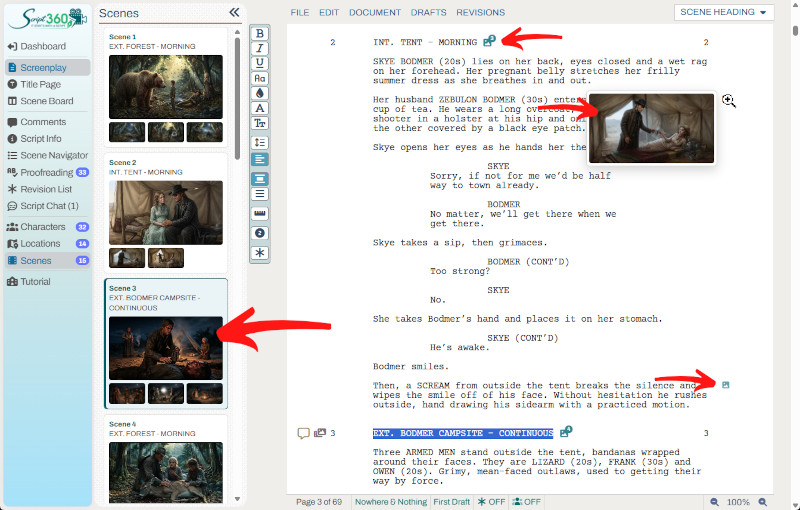
Scene pictures have grown into scene shots. A scene can now have up to four, each one tied to the exact line where its moment happens, with an icon beside that line in your script.
Press Add a shot on a scene and the AI suggests three moments worth drawing. Pick one, or tick several and draw them together. Every shot is drawn to match the scene's main picture, so the light and the place stay the same from one shot to the next.
AI Coverage that remembers
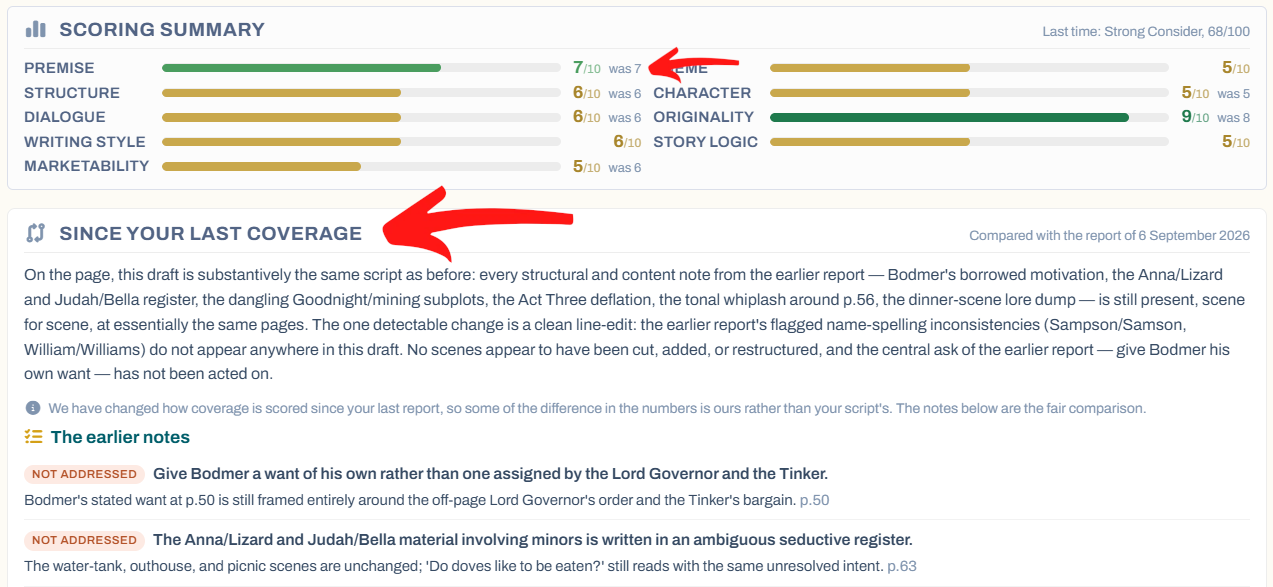
Rewrote your script after its last AI Coverage? When you order coverage again, leave Compare with my last coverage ticked and we send the earlier report's notes along with your new draft. The new report then has a Since your last coverage section that goes through each earlier note and says whether your rewrite addressed it, and each score shows what it was last time.
The scores themselves still come from the new pages alone, and the price is the same. Want a completely fresh read instead? Untick the box. Only you and your co-authors see the comparison.
More about Script 360 coverage →
Questions or ideas? Write to us at info@script-360.com, chat with us from your dashboard, or post them on the Discussion Board.
Comments