
Activity Log
We have two ways for you to share a screenplay with others
One of them hands somebody your screenplay. The other hands them everything about your screenplay and none of the pages. Most writers end up using both, for different people.
Invitations, for the people you want reading it
You can invite anybody to read or edit one of your scripts, and they do not have to be a Script 360 member — an invitation sent to a plain email address works, and the person who opens it reads the script without signing up for anything. You choose whether they may read, comment or edit, and you can set the invitation to expire. How do I invite others to read or edit my script? covers all of that.
That is the right tool when you want one particular person reading the pages. It is the wrong one for everybody else.
A Public Link, for everybody else
Often what you want is not a reader at all. You want a producer scrolling LinkedIn, or an agent opening a query email, to see what your script is — the poster, the logline, who is in it, what it looks like — and decide for themselves whether to ask you for more.
Open your script's Summary page. At the foot of the summary card there is a button:
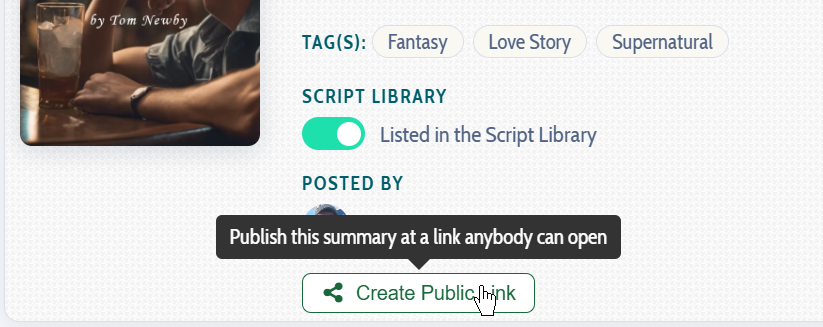
Press it once and you have a web address anybody can open. No account, no sign-in, nothing to join.

The copy icon puts the address on your clipboard. The broken-link icon stops it working — for everybody, the moment you press it — and you are free to publish a new one afterwards. Beside them is the number of times your link has been opened.
What somebody sees when they open it
- The poster, the title and episode title, your logline and synopsis, and the genre and tags
- Your characters, with their profiles and their artwork
- Any images you have attached to the script
- The AI coverage you have chosen to publish
- The Story Breakdown
What they do not see is the screenplay. A public link is not an invitation to read anything. The pages stay exactly where they are, and nobody can read them — or even ask you for them — from that address unless they join Script 360. That is what makes it safe to post in public.
See one for yourself
Here is the public link for The Grand Stand In. It opens in a new tab, exactly as a stranger gets it.
Where to put it
Anywhere you like: a query email, a Facebook or LinkedIn post, a tweet, a Discord server, a festival application, your own website. On every one of those the link unfurls into a proper card carrying your poster, your title and your logline, rather than arriving as a bare web address nobody wants to click.
And it keeps up with the script. Sketch another character next week, replace the poster, publish a coverage report — and the producer still holding your link sees all of it, without you having to send anything again.
Loading content...
Loading screenplays…
Loading members…
Loading coverage…
Loading posts…
Education
Webinars and articles on the craft and business of screenwriting, from Script 360 and writers who know the work.
Loading webinars…
Loading articles…
Attachments/Media
The tabs in this section are currently hidden. Click on any of the tab titles above to open one.
| Title | Size | Uploaded | Actions |
|---|
No Attachments
No Images
No Videos
No Audio Files
Series / World
For a TV series, or a film and its sequels: keep the characters and locations that recur here, and every script you add to the folder can bring them in.
The tabs in this section are currently hidden. Click on any of the tab titles above to open one.
Scripts
Attachments/Media
The tabs in this section are currently hidden. Click on any of the tab titles above to open one.
| Title | Size | Uploaded | Actions |
|---|
No Attachments
No Images
No Videos
No Audio Files