
Activity Log
You build your network one person at a time, by asking them to join it. Here is how.
Asking someone to join your network
- Find them. Open the Directory from the menu on the left and search by name, role, guild or who represents them, or open their profile from anywhere on the site.
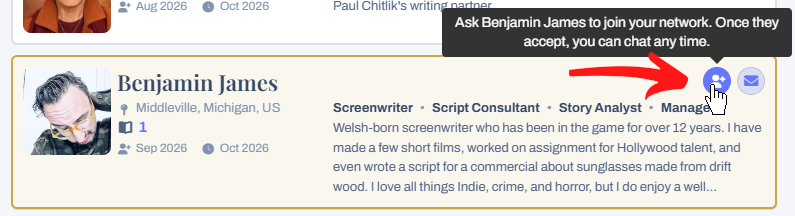
- Press the person-plus button . On the Directory it is the round button beside the envelope on their card. On their profile it is the Add to Network button under their name.
- Add a note if you like. Why not tell them where you met, or what you would like to work on together? A note makes it far more likely they will say yes.
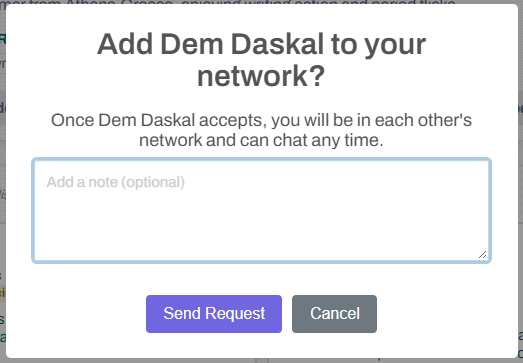
- Press Send Request.
They get an email and see your request under the hand icon at the top of the page. If they had already asked you, the two of you are connected straight away.
What the button tells you
- Add to Network (blue): you are not connected yet. Press it to ask.
- Request Sent (grey): you have asked and are waiting for an answer. Press it if you would like to take the request back.
- Accept Request (gold): they have asked you. Press it to accept or decline.
- In Your Network (green): you are in each other’s network. Press it to remove them.
When someone asks you
You will get an email, a reminder on your dashboard, and a number on the hand icon at the top of the page. Open Invites & Requests from the hand icon and press Accept or Decline. You will see their note there too. You can also press Accept Request on their profile or their Directory card.
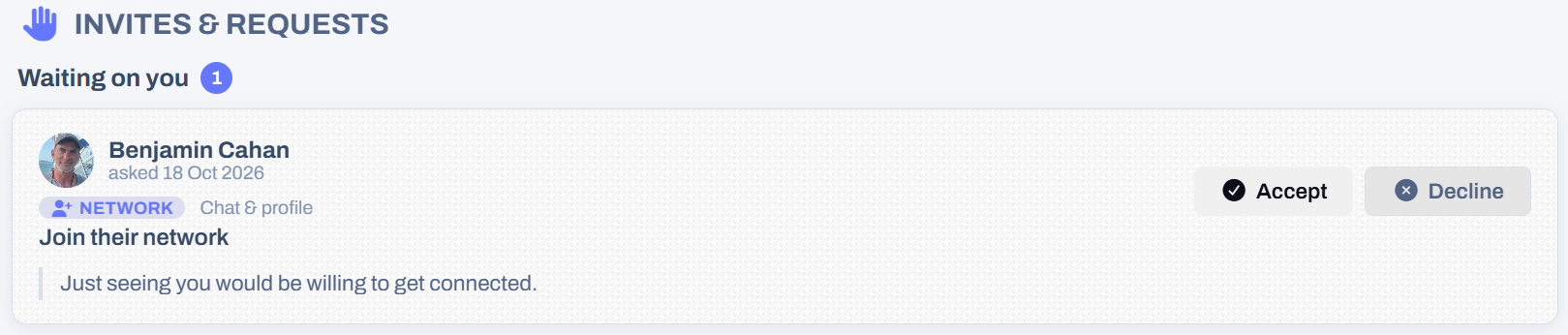
Declining is quiet. We do not tell the other member, and they can’t ask again for 30 days.
Finding the people in your network
- In the Directory, tick In my network to see only them.
- On your own profile, the Network section lists everyone in it.
- In chat, they are listed under Your network.
Taking someone out of your network
Press In Your Network on their profile or Directory card and choose Remove. You will both be taken out of each other’s network, and they are not told.
Good to know
- You can send up to 50 network requests a day.
- Your network can see your profile even if you keep it private, and so can anyone you have asked to join it.
- Don’t want the emails? Turn off Tell me when someone asks to join my network or Tell me when someone accepts my request to join their network on your notifications page.
Loading content...
Loading screenplays…
Loading members…
Loading coverage…
Loading posts…
Education
Webinars and articles on the craft and business of screenwriting, from Script 360 and writers who know the work.
Loading webinars…
Loading articles…
Attachments/Media
The tabs in this section are currently hidden. Click on any of the tab titles above to open one.
| Title | Size | Uploaded | Actions |
|---|
No Attachments
No Images
No Videos
No Audio Files
Series / World
For a TV series, or a film and its sequels: keep the characters and locations that recur here, and every script you add to the folder can bring them in.
The tabs in this section are currently hidden. Click on any of the tab titles above to open one.
Scripts
Attachments/Media
The tabs in this section are currently hidden. Click on any of the tab titles above to open one.
| Title | Size | Uploaded | Actions |
|---|
No Attachments
No Images
No Videos
No Audio Files