
Activity Log
Scenes you keep outside the script
A Scene Snippet is a short piece of screenplay you keep on the side. It might be a scene you copied out of your script to rework without touching the draft, a second version of a scene to try it another way, or an idea for a scene that has no place in a script yet.
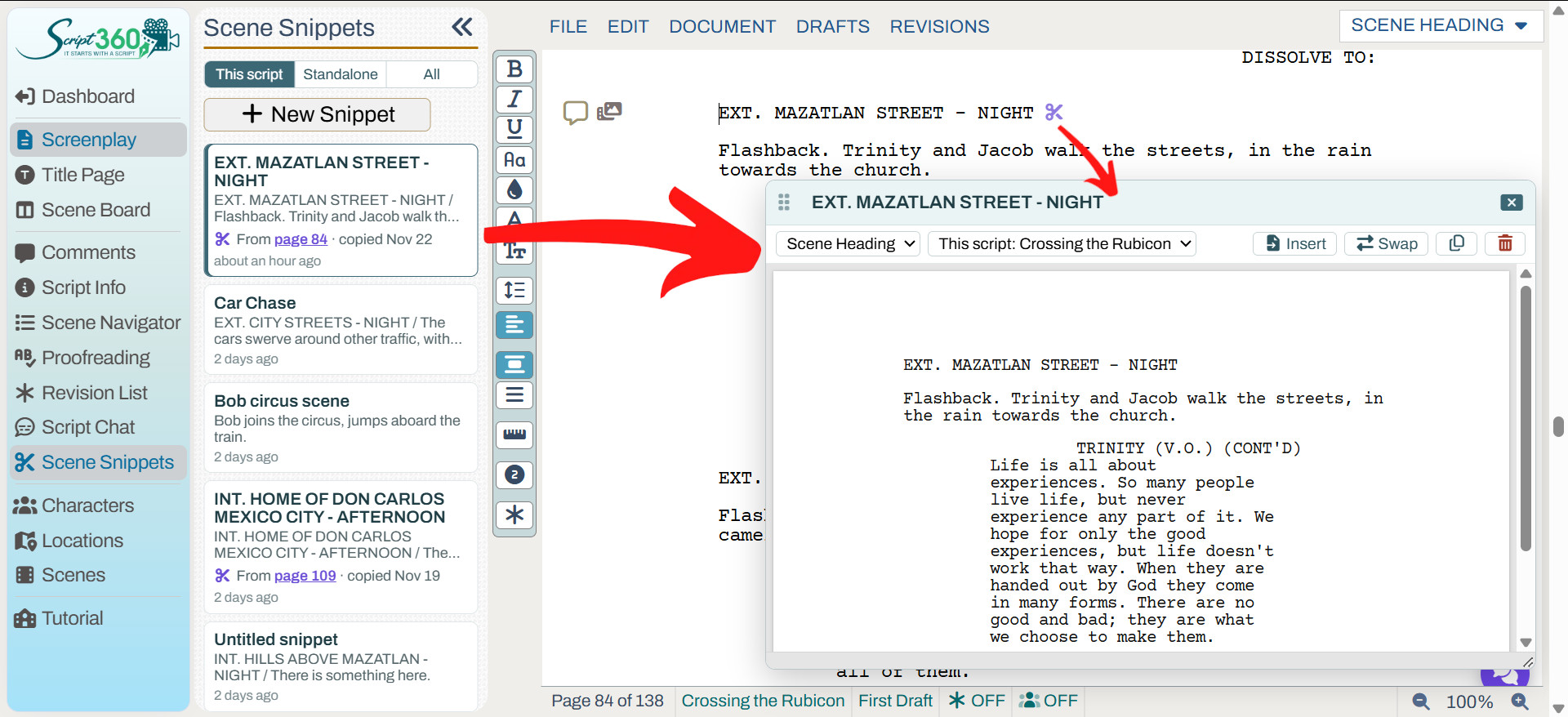
Snippets are written just like a screenplay, with the same keys you use in the editor, but without pages. They save themselves as you type.
Two kinds of snippet
- Script snippets — filed under one of your screenplays, usually a scene you copied from it.
- Standalone snippets — not in any script. Good for scene ideas that come to you before you know where they belong.
You can move a snippet from one kind to the other at any time. More about the two kinds.
Where to find them
- In the editor, click Scene Snippets (the scissors) in the sidebar to see the snippets for the script you have open.
- On the dashboard, click Scene Snippets in the sidebar to see all of them on one page. More about the Scene Snippets page.
Who can see them
Only you. Your snippets are private, even when they are filed under a script you share with co-authors or readers. Each co-author has snippets of their own.
Everything about Scene Snippets
Loading content...
Loading screenplays…
Loading members…
Loading coverage…
Loading posts…
Education
Webinars and articles on the craft and business of screenwriting, from Script 360 and writers who know the work.
Loading webinars…
Loading articles…
Attachments/Media
The tabs in this section are currently hidden. Click on any of the tab titles above to open one.
| Title | Size | Uploaded | Actions |
|---|
No Attachments
No Images
No Videos
No Audio Files
Series / World
For a TV series, or a film and its sequels: keep the characters and locations that recur here, and every script you add to the folder can bring them in.
The tabs in this section are currently hidden. Click on any of the tab titles above to open one.
Scripts
Attachments/Media
The tabs in this section are currently hidden. Click on any of the tab titles above to open one.
| Title | Size | Uploaded | Actions |
|---|
No Attachments
No Images
No Videos
No Audio Files