
Activity Log
Loading content...
The Scene Board Pane
Your scenes as index cards, right beside your script
Your script’s Scene Board, without leaving the editor
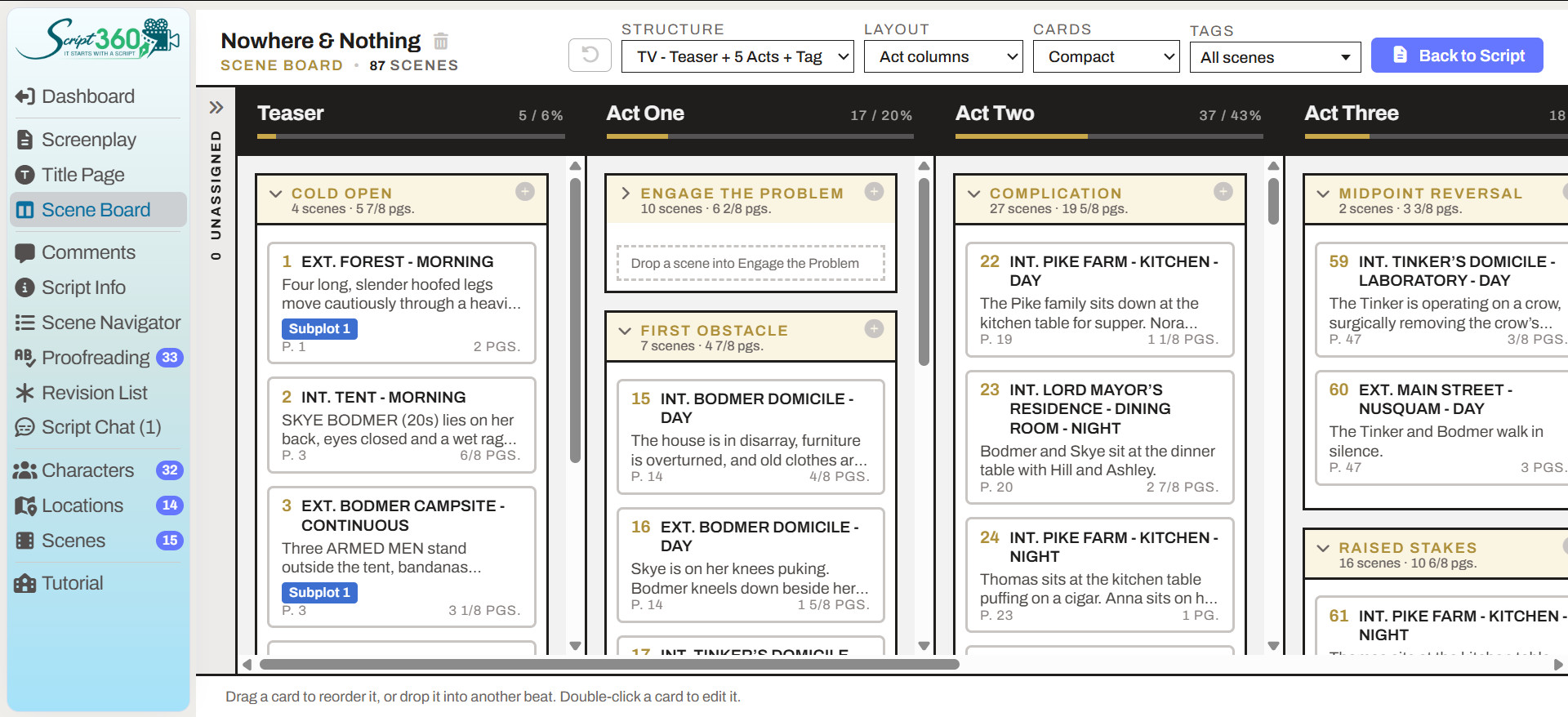
Every screenplay can have a Scene Board: a card for each scene, laid out in the acts and story beats of a structure you choose, like index cards pinned to a wall. You can open it right here in the editor.
Click Scene Board in the blue-shaded sidebar at the left edge of the window. The board takes the place of your script, and Back to Script at the top of the board brings the script back.
Always up to date
Every time you open the board here, it is brought up to date with the script on your screen — including anything you have typed but not saved yet. A new scene heading becomes a new card, a deleted one goes, and page numbers and lengths are worked out again. Where you placed each scene on the board is kept.
What you can do on the board
Everything you can do on the board anywhere else: drag scenes between acts and beats, change the structure or the layout, edit a scene’s description, characters and tags, and filter the board by tag. The FAQ explains it all in its Scene Boards section.
The Scene Board item is there for the script’s author and co-authors, and for anyone else once the script has a board. Only the author and co-authors can change it.
Loading screenplays…
Loading members…
Loading coverage…
Loading posts…
Education
Webinars and articles on the craft and business of screenwriting, from Script 360 and writers who know the work.
Loading webinars…
Loading articles…
Attachments/Media
The tabs in this section are currently hidden. Click on any of the tab titles above to open one.
| Title | Size | Uploaded | Actions |
|---|
No Attachments
No Images
No Videos
No Audio Files
Series / World
For a TV series, or a film and its sequels: keep the characters and locations that recur here, and every script you add to the folder can bring them in.
The tabs in this section are currently hidden. Click on any of the tab titles above to open one.
Scripts
Attachments/Media
The tabs in this section are currently hidden. Click on any of the tab titles above to open one.
| Title | Size | Uploaded | Actions |
|---|
No Attachments
No Images
No Videos
No Audio Files